

A list of 20 CRM automation ideas sounds useful until you remember that a team of three has nobody to look after them. Meanwhile, the lead from Tuesday evening still has no owner and no next step. Deals die on the days nobody opens the CRM, so start with the few rules that stop that.
CRM automation makes your CRM do routine work by itself when something happens, such as assigning a new lead or setting its reminder. Automate the admin around a deal and leave the reply to an interested lead with a person. Fluid CRM has 8 in-app automations for this.
What CRM Automation and a CRM Workflow Mean
A CRM workflow is the set of steps a deal goes through, from new lead to signed or lost. CRM automation is the part of those steps that runs without anyone clicking. “Workflow automation” is the same idea, and the phrase covers any software, not only a CRM.
Trigger, condition and action
Each automation has up to three parts. A trigger starts it (a new deal appears), a condition narrows it (only deals in the Sales pipeline) and an action does the work (add a reminder for three days from now). Picture a light on a motion sensor that only switches on after dark.
CRM automation vs marketing automation
Sales automation is the slice aimed at selling work, such as routing leads, setting next steps and keeping records current. Marketing automation is different because it sends campaigns to lists and scores people on what they click. Fluid CRM handles the sales side.
Where AI fits
A rule only does what you told it to do. An assistant such as Claude or ChatGPT, connected from outside the app, can read your notes from a call and update the deal, and our AI CRM page shows how that works. It saves typing, and the decision about the deal stays with you.
If typing is your main complaint, cutting CRM data entry has its own guide.
9 CRM Automation Examples a Small Team Will Use
The CRM automation examples below work on most CRMs, whatever each vendor calls them. Every one is admin that a person would otherwise forget or do twice.
| When this happens | This runs | Why it’s worth it |
|---|---|---|
| A new deal is created | A default value is filled in | Your forecast has a rough number before anyone has priced the job |
| A new deal is created | An expected close date is set from your usual sales cycle | No deal sits in the pipeline with no date on it |
| A new deal is created | A follow-up reminder is added a set number of days out | Every lead starts with a next step |
| A new deal is created | It is assigned to a named teammate | Everyone knows who replies |
| A deal enters a chosen stage | The right person is notified | A handoff happens with no chat message needed |
| A deal changes stage | The move is written to its activity history | Anyone can see what happened without asking |
| A deal reaches a chosen stage | It moves to another pipeline | A signed sale moves to onboarding by itself |
| A deal sits idle for a set number of days | It moves to a stage you picked, such as Stalled | You get one short list of deals that need a decision |
| A deal changes stage or is won | A webhook tells another tool | Your team chat gets a message without anyone opening the CRM |
Fluid CRM has the first eight as switches, set separately for each pipeline. The ninth runs on webhooks and a connector such as Make.

Those switches don’t branch. You can’t build “if the deal is over $5,000, assign it to Sam, otherwise to Jo” on a canvas, so a team that needs that logic has to run it in an outside tool.
Fluid CRM also doesn’t send email. Automated sequences need a sending tool, and Fluid CRM is not the tool for them.
Which CRM Automations to Turn On First
Can you say in one sentence what every automation in your CRM does right now? If you can’t, nobody will know why a deal moved or who was told. Turn on one rule a week, name who looks after it and keep it only if it passes that sentence test.
Simple rules also keep the CRM quick to use, which matters more than how many rules you run. Nicolas Virtsonis, who runs a B2B marketing agency and has used Salesforce, Pipedrive and Zoho, names the usual failure.
“The major problem with most CRMs is the complexity and time required to complete simple tasks.”
1. Add a reminder to every new deal
Start here, because a lead with no next step is the one that dies quietly. Pick a number of days that matches how fast you sell, such as 3. A demo request needs an answer the same day, and speed to lead covers those first minutes.
2. Assign new deals to one person
On a two-person team this feels pointless until both of you see the same inquiry and both leave it. One named owner per pipeline settles it. Pick the person who answers those leads now, not the one you wish did.
3. Move idle deals to a Stalled stage
Set a limit that fits your sales cycle, such as 14 days for a cycle of about a month. A deal that passes it moves to Stalled, where someone has to look at it.
This is safe because it can be undone and it decides nothing. The deal is still open, and a person still makes the call on it.
What Not to Automate in a CRM
A rule can flag a deal, sort it and remind you about it. These four jobs need someone who knows the deal.
The reply to an interested lead
An auto-reply that says “we got your message” is fine, and it’s useful after hours. It just doesn’t count as answering them.
I’ve worked on outbound that produced 5,000+ positive replies across cold email and LinkedIn, and those replies taught me which part a person has to do. A sending tool can start a conversation. Once someone says they’re interested, they can tell within a line whether a person wrote back.
Marking a deal as lost
You’ll see advice to close a deal automatically after a set number of quiet days. Don’t. Quiet can mean the buyer is on holiday, and a rule can’t tell that from a real no.
It also ruins your numbers, since every deal the rule closes gets the same reason. Fluid CRM asks for a lost reason when you mark a deal lost, and that report only means something if a person chose the answer.
“Just checking in” emails to stalled deals
A timed message with no new information shows the buyer that a machine noticed the silence. Write something specific to them, or leave it. For what to say, see lead nurturing for a small business.
Scoring leads from a handful of deals
Software scoring needs far more leads than a small team sees in a month. Keep the judgment and drop the software, as our guide to lead scoring lays out with a model you can score by hand.
Sales Automation for a Small Team, From Form to Signed
Picture one lead going through a three-person bookkeeping firm. Sam handles new business and Jo runs onboarding.
| When | Who | What happens |
|---|---|---|
| Tuesday, 8:40 p.m. | Automatic | A prospect fills in the quote form on the site, and a deal and contact appear in the Sales pipeline |
| The same moment | Automatic | The deal is assigned to Sam and gets a default value, a close date and a reminder due tomorrow |
| Wednesday morning | Automatic | The daily email lists the deal as due today, so nobody has to open the app to find out |
| Wednesday, 9:10 a.m. | Person | Sam reads what the prospect asked, calls them, moves the deal to Sales Call and sets the next reminder |
| Right after | Automatic | A “Stage changed” activity is logged on the deal |
| 14 days later | Automatic | The prospect has gone quiet, so the deal moves to Stalled |
| That morning | Person | Sam sees it, remembers they mentioned a board meeting and sets a reminder for the week after |
| Three weeks later | Person | They sign, and Sam moves the deal to Signed |
| Right after | Automatic | The deal moves to the Onboarding pipeline, Jo gets a notification and a webhook, through Make, posts the news to the team chat |
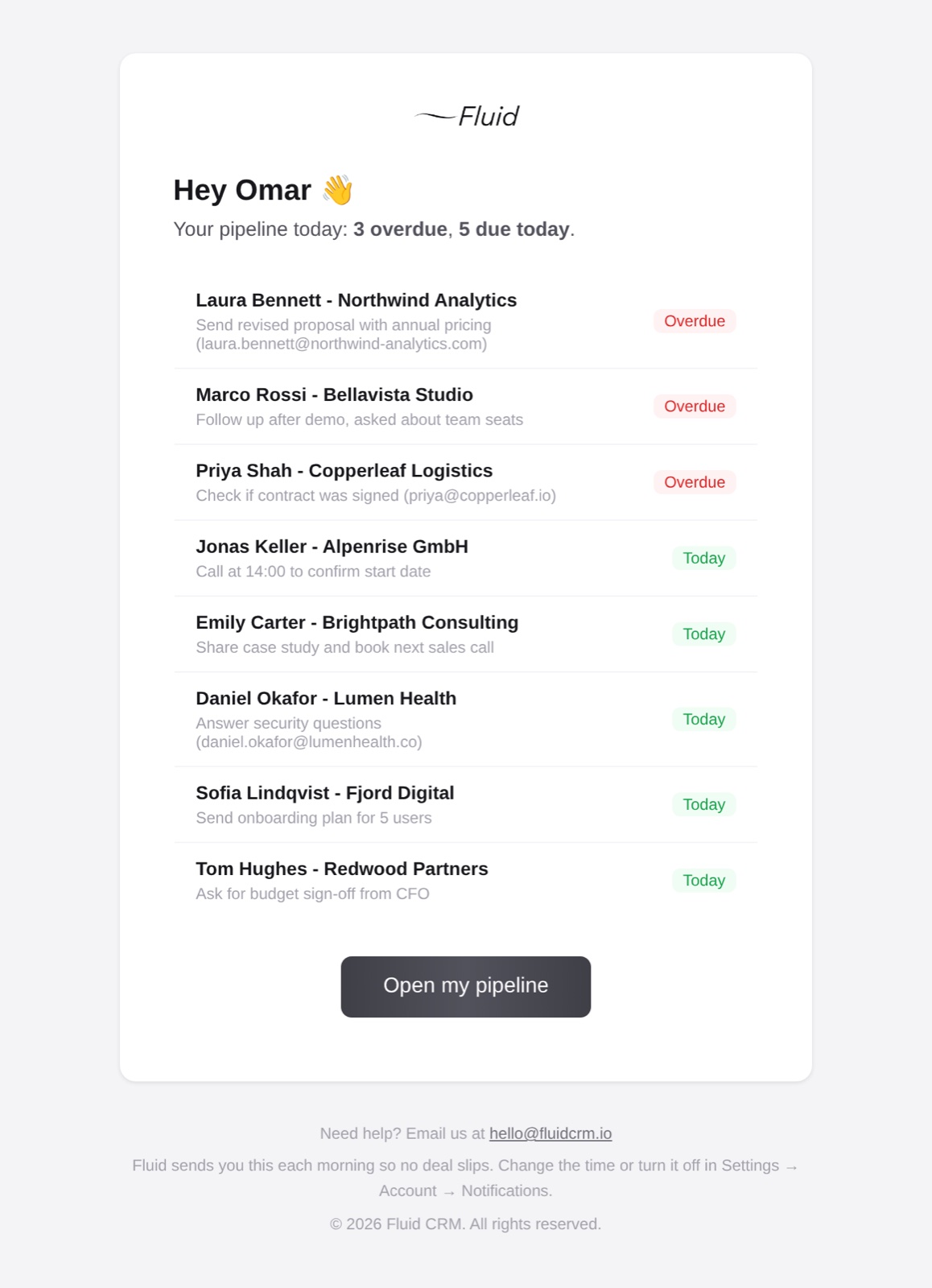
Sam’s real work was the call, the read on a quiet buyer and the close. A rule can’t do any of them because each one depends on what the buyer said.
A verified customer who coordinates a European coaching network runs seven pipelines with automations and the API, and describes the result this way.
“It is fast, focused and surprisingly capable once you start using the API and automations together.”
What CRM Automation Costs on a Small Team
CRM automation often starts above the entry plan, so check the plan before you set anything up. HubSpot’s Starter plan lists “up to 50 workflows with restricted triggers and actions”, and fully customizable ones begin on Professional. Close and Capsule both start workflows on their Growth plans.
Fluid CRM has one plan at $16 per seat a month or $144 per seat a year. All 8 automations, the REST API and webhooks are in it from the first day of the trial.
Connecting Zapier or Make to your CRM
Some jobs start in one tool and finish in another. Fluid CRM has no native Zapier or Make app, and its API and webhooks work with both through their webhook steps. What to check in a CRM’s API explains how that fits together.
Three jobs usually justify the extra tool on a small team:
- An interested reply in your cold email tool creates a deal in the CRM.
- A deal changing stage posts a line in your team chat.
- A won deal creates the project in your project management tool.
Budget for the connector before you plan around it. Zapier’s pricing lists webhooks from the Professional plan, from $19.99 a month on annual billing or $29.99 billed monthly for 750 tasks. Its free plan stops at two-step Zaps and 100 tasks a month.
Make’s pricing counts credits, and most actions use one. Its free plan includes 1,000 credits a month, enough to test a low-volume job or two.
CRM Automation FAQ
A new deal gets a follow-up reminder for three days later, with nobody setting it. Other common examples are assigning new leads to a teammate, logging stage changes and notifying someone when a deal reaches a stage.
CRM automation runs inside your CRM and acts on deals and contacts. Workflow automation is the wider term and can cover any business process across any software. Tools such as Zapier and Make are workflow automation tools that can connect to a CRM.
No. CRM automation keeps deals, owners and next steps in order for the people selling. Marketing automation sends campaigns to lists and tracks what people do with them.
Yes, if the rules stay simple enough that one person can explain them all. Start with a reminder on each new deal, one owner per pipeline and a stage for stalled deals. Add a fourth rule only after those have run for a few weeks.
Where to Start With CRM Automation This Week
Pick one pipeline, switch on a reminder for every new deal and check on Friday whether any lead has no next step. Add the owner rule next week and the Stalled stage the week after. Fluid CRM has all three as switches, and our AI CRM page covers the typing those switches can’t do.
Start your 7-day free trial here, no credit card required.