

Zoho hands you more than one way to let an AI assistant into your CRM. One of them only reads. Another can delete records and a third can rewrite your workflow rules, so the order you switch them on matters.
Zoho MCP is a free Zoho product that connects AI assistants such as Claude to Zoho’s apps. For Zoho CRM it comes as four ready-made servers, and only one of them is read-only. Every call uses your plan’s API credits, and a record deleted through it stays in the recycle bin for 60 days.
Zoho MCP Covers All Of Zoho, And Zoho CRM Is One App In It
Zoho MCP is one product for the whole Zoho family, and Zoho CRM is one of the apps it reaches. It is built on the Model Context Protocol, and its job is to give an AI assistant a set of tools it can use in your Zoho account. Zoho says it works with Claude, GPT and other assistants. The basics are covered in what an MCP server is.
The price is $0. Zoho’s pricing page says it is included for all Zoho users with no separate subscription, and that it uses the API allowance you already have.
For Zoho CRM there are three routes in. Zoho CRM’s own docs give you four ready-made servers that you add one at a time.
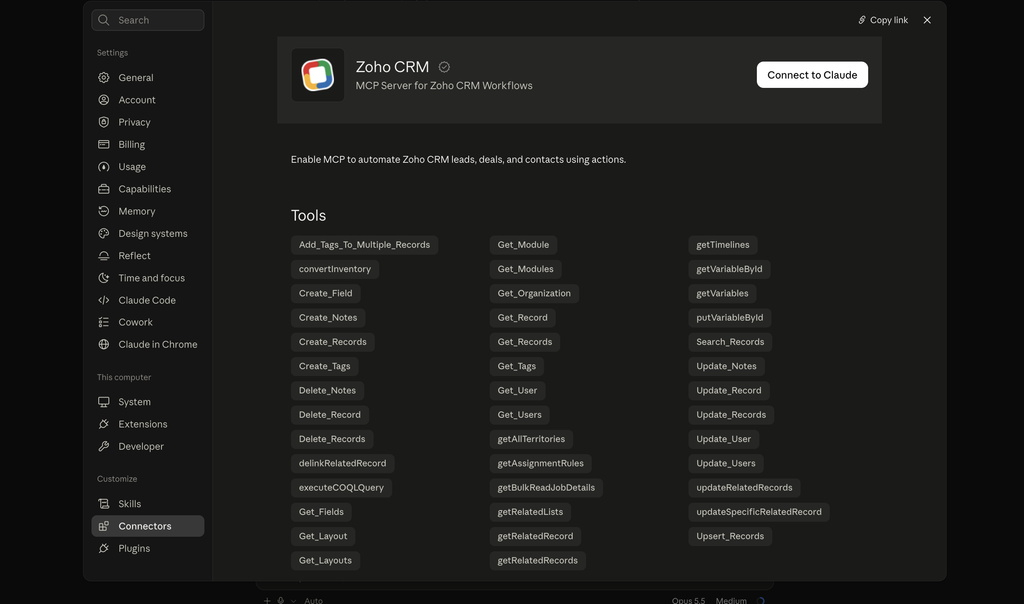
Claude’s directory has a single Zoho CRM connector made by Zoho, with 41 tools in one package. And the Zoho MCP console lets you build your own server and pick its tools yourself.
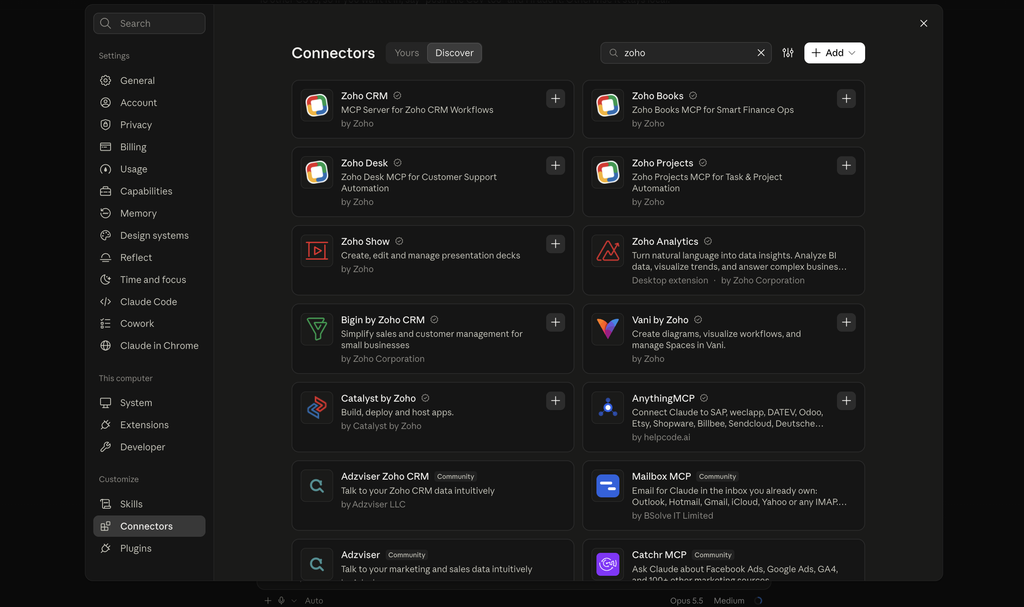
The four ready-made servers are the route this post is about, because they let you decide how much the assistant may do. Delete access is handled differently by every vendor, and the best CRMs for Claude shows where Zoho sits. For assistants other than Claude, the best MCP CRMs for AI agents covers eight.
The Four Zoho CRM MCP Servers, From Read-Only To Workflow Editing
Zoho CRM’s four MCP servers are separate addresses that you add to your assistant one by one. Picture a row of four circuit breakers, where each one powers a different part of the house and you only flip the ones you need.
| Server | What the assistant can do | Switch it on if | Leave it off if |
|---|---|---|---|
| Data Insights | Query records, list modules, read field setups. Nothing else | You want answers and reports | Never. It is the starting point |
| Data Operations | Create, read, update and delete records, one at a time or in bulk | You want the assistant to do your data entry | The person connecting it should not be deleting records |
| Module Customization | Create modules and fields, change field settings, switch layouts on and off | You are the admin and you are building | You are not the admin |
| Workflow & Process Automation | Create, change and reorder workflow rules and their tasks | You are the admin and you own the automations | Anyone else would be using it |
Data Insights, the read-only server
This is the one every user can have. It answers questions like “Show me all the deals closing this month” or “How many leads were created last week?” and it cannot change a thing.
Most of the value people want from an assistant sits here. A morning pipeline summary, a list of stale deals and a count by owner are all questions, and none of them needs write access.
Data Operations, the server that writes and deletes
This server does the typing. It creates a lead from a sentence, updates a deal stage and pulls every contact linked to an account.
It also deletes. One of the example prompts in Zoho’s own docs is “Delete all deals that have been stuck in the ‘Negotiation’ stage since March.” The next section covers how to keep that part off.
The two admin servers
Module Customization and Workflow & Process Automation change how the CRM is built. A request like “Add a text field called Customer Type to the Leads module” alters the system for everyone who uses it.
These two belong with whoever already does that work by hand. A salesperson has no use for them, and switching them on for the whole team adds risk with nothing gained.
To add a server in Claude’s desktop app, open Customize, then Connectors, choose to add a custom connector and paste the server’s address from Zoho’s setup page. Then press Connect and sign in to your Zoho CRM account. I compare the other connectors worth adding in my post on the best Claude connectors for sales teams.
How To Keep Delete Switched Off In Zoho MCP
Delete access in Zoho MCP is not all or nothing. There are three places to limit it, and they stack.
Leave the Data Operations server out
A user with only Data Insights connected cannot delete, create or update. This is the bluntest control and the quickest one. It suits anyone who mainly asks questions.
Remove the delete permission in the Zoho CRM profile
Zoho states that all actions through these servers are scoped to your CRM user permissions. A Zoho CRM profile sets view, create, edit and delete per module, and it has a separate mass delete permission.
So a salesperson whose profile cannot delete deals cannot delete them through the assistant either. This is the control that lets someone keep data entry and lose only the delete.
The single Zoho CRM connector in Claude’s directory includes the delete tools. If you use that one, check the profile permission first.
Build your own server without the delete tools
In the Zoho MCP console you can create a server and add or remove tools one by one. That lets you keep the create and update tools and leave the delete tools out.
A server in that console can be authorised by each user signing in, or through one connection that a Super Admin shares with the team. With a shared connection, check whose permissions apply before you rely on profile limits, because Zoho’s help page does not spell it out.
Zoho also says to treat your server address like a password, since it carries a key. Don’t paste it into a chat channel or a shared doc.
What the recycle bin gives you back
If a delete does go through, the record is not gone. Zoho moves deleted records and files to the recycle bin and keeps them for 60 days, then removes them for good.
You restore from Setup, then Data Administration, then Recycle Bin. What you can see there follows your role and your permission to view those records, so an admin may need to do the restoring.
Who on your team would you hand a delete button to if it sat on their desk?
What Zoho MCP Costs In API Credits
Zoho MCP has no fee, but every call is counted. Zoho’s docs say calls made through these servers use API credits the same way any other API call does.
Credits are counted over a rolling 24 hours. For a three-person team the allowance looks like this.
| Zoho CRM edition | Credits per 24 hours, 3 users |
|---|---|
| Free | 5,000 |
| Standard | 50,750 |
| Professional | 51,500 |
| Enterprise | 53,000 |
| Ultimate | 56,000 |
Most calls cost one credit. A query that returns up to 200 records is one credit, and creating or updating records is one credit per ten.
Zoho does not publish how many calls a single chat request makes, so here is an assumption you can adjust. Say a morning pipeline summary takes ten calls. That is ten credits, or 0.2% of the free edition’s daily allowance.
On that assumption, reading and everyday updates stay far below the limit, and the expensive work is building. Creating a custom field is 10 credits and creating a custom module is 500.
Deleting is cheap in credits, at one credit per 100 records in a mass delete. Credits will not slow down a mistake, which is one more reason to set the delete controls first.
If a team does run short, a Super Admin can buy extra credits from Zoho’s API dashboard and pay only for what gets used.
Does the free Zoho CRM edition include Zoho MCP
Zoho’s pricing page says Zoho MCP is included for all Zoho users, and the free edition has an API allowance of 5,000 credits. Zoho does not confirm that the four CRM servers work on the free edition.
Zoho MCP FAQ
Zoho MCP has no licence fee and no separate subscription. What it uses is the API allowance of each Zoho app it touches, so heavy use counts against your Zoho CRM credits.
A server you create in the Zoho MCP console has an address that carries a key, and Zoho tells you to treat it like a password. So keep it private, and give each person their own sign-in or use a connection a Super Admin controls.
Zoho says you can install as many servers as you need, and the assistant sends each request to the right one. Data Insights and Data Operations together cover both questions and data entry.
A Starting Zoho MCP Setup By Role
With four Zoho CRM servers to choose from, this is where I would start a small sales team.
- Salesperson: Data Insights only. Add Data Operations once the profile has no delete permission
- Sales manager: Data Insights and Data Operations, with delete removed for every module except the ones they clean up
- Admin: all four, and the admin is the only person with the last two
Fluid CRM, which we built for teams that don’t have an admin at all, takes the other road. It has a single connector, and there is nothing to configure before the first question. Our AI CRM page lists what that connector can and can’t do.
Start your 7-day free trial here, no credit card required.