

You already pay for Attio and you want Claude to do the typing. Attio’s own pages show you how to connect the two in a minute. They don’t tell you whether every question you ask through Claude eats into your Attio credits.
Attio MCP is Attio’s official connector that lets Claude, ChatGPT and other AI assistants read and update your Attio workspace from a chat. It is included on every plan, asks before each write and can only delete tasks and your own comments. Attio’s credits page does not list it as something that uses credits.
What The Attio MCP Server Is And Which Plans Include It
Attio MCP is a server that Attio hosts itself, and it has been live since February 2026. MCP stands for Model Context Protocol, the open standard that lets an AI assistant talk to other software. In Claude the same thing is called a connector. If the term is new, I explained it in what an MCP server is.
You sign in with your normal Attio login and there is no API key to copy. The assistant then acts as you, so it sees the records you can see and nothing more. A colleague with narrower permissions gets a narrower Claude.
Attio’s help centre says the server is available on all plans and for all workspace members. That includes the free plan, so you don’t need to upgrade to switch it on. What each plan costs and where the seat caps sit is covered in Attio pricing.
It is a different thing from Ask Attio. Ask Attio is the assistant inside the Attio app, and MCP is the way in for an assistant outside Attio. That difference matters most when you get to credits. If you keep seeing the label AI-native CRM around tools like this, I explain it in my post on what an AI-native CRM is.
What Claude Can And Cannot Do Through Attio MCP
Attio’s developer docs list 42 tools, which are the separate actions an assistant is allowed to take. Claude’s own directory page for Attio shows 23 of them, so the docs are the better reference. Here is what those tools add up to.
| Area | Read | Create or update | Delete |
|---|---|---|---|
| People, companies, deals and custom objects | Yes | Yes, including merging two duplicates | No |
| Lists and pipeline entries | Yes | Yes, including moving an entry to a new stage | No |
| Notes | Yes, including search by topic | Create, add to the start or end, rename | No |
| Tasks | Yes | Yes | Yes |
| Comments | Yes | Create and reply | Only your own |
| Emails | Yes, including search by topic | No | No |
| Meetings and call recordings | Yes, with transcripts | No | No |
| Reports | Counts, totals and averages | No | No |
Attio marks every read as safe and every write as needing your confirmation. So a write stops and asks you first, which is the right default when an assistant is changing a CRM your team depends on.
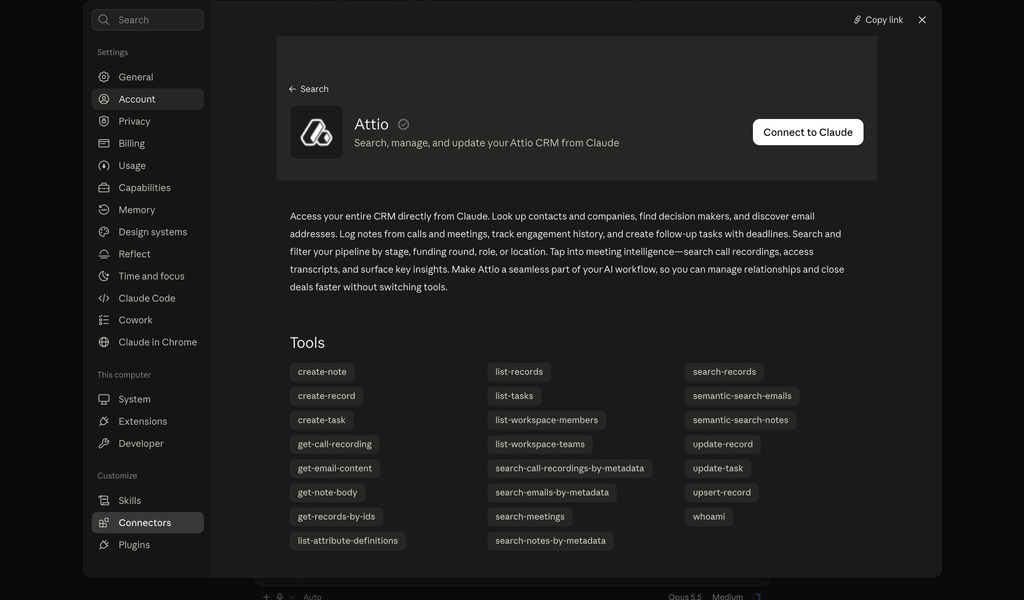
The gaps are as useful to know as the tools. Through Attio MCP, Claude cannot do any of these:
- Delete a person, a company or a deal
- Send or draft an email from Attio. Attio’s help centre says so in plain words
- Start a workflow or enrol someone in a sequence
- Add a new field or change an existing one
- Rewrite the body of a note. It can only add to the start or the end
- Query your data with SQL, unless you are on the Enterprise plan
Call recordings and transcripts are only there to search if your workspace records calls in Attio. The connector reads what Attio already holds and it doesn’t create new sources of data.
Does Attio MCP Use Attio Credits
Attio meters its AI and workflow features in credits. Each seat gets a personal monthly allowance and the workspace shares a second pool. Attio’s credits page lists what draws on them.
| What you do in Attio | Credits |
|---|---|
| Ask a question in Ask Attio | 10 to 80, depending on the question |
| A workflow creates, updates or deletes a record | 1 |
| A workflow uses an integration block | 1 |
| An AI attribute summarises or classifies a record | 1 per record |
| An AI attribute researches a record on the web | 10 per record |
Neither MCP nor the API is on that page. Attio’s pricing page describes credits as shared across its AI and workflow features, and the connector is listed in a different part of the plan table.
Going by Attio’s own list, questions asked through Claude should not draw on your Attio credits. Attio does not say so in as many words on any page I could find, so keep an eye on the credit counter in your billing settings for the first week.
Think of Ask Attio as a taxi with the meter on, and MCP as driving your own car on the same roads. You pay for your own fuel, which is your Claude or ChatGPT plan. You still have to respect the speed limits.
Those speed limits are generous. Attio allows 100 reads a second, 25 writes a second and 300 searches a minute per workspace. Search by topic is the tight one at 2 a second, and Attio’s docs say normal conversation stays well inside all of them.
One person alone on the free plan has 350 credits a month, 100 personal and 250 for the workspace. That is 4 to 35 Ask Attio questions before the month is used up.
How many of the questions you asked Ask Attio last month could you have asked from the assistant you already pay for?
How To Set Up Attio MCP In Claude
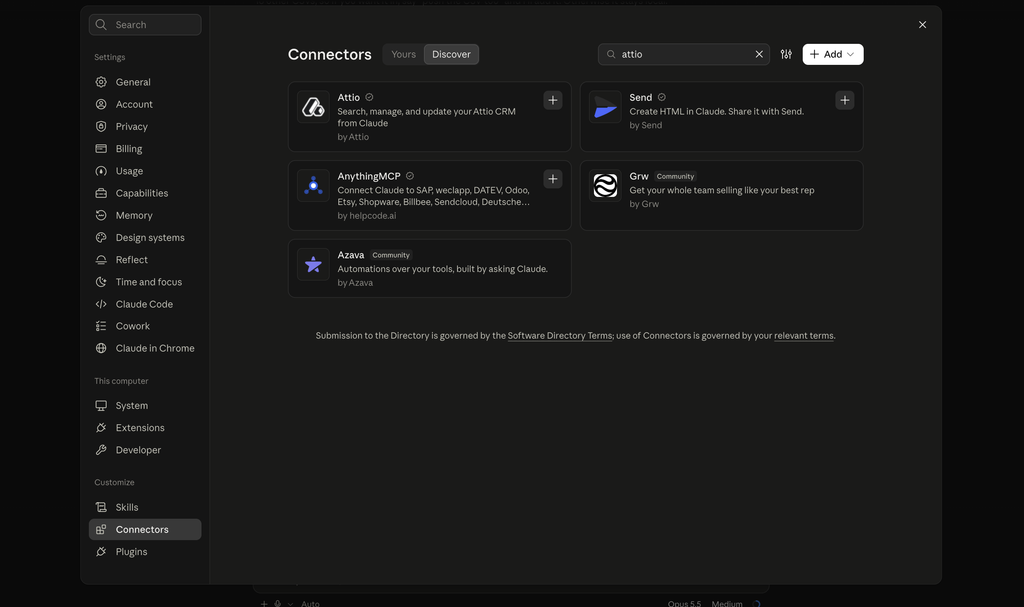
Attio is in Claude’s connector directory, so adding it is a search and a click under Settings, then Connectors. The four steps after that are the ones that decide whether it works well.
1. Sign in and pick the right workspace
Claude sends you to Attio’s login page. If you belong to more than one workspace, check which one you approve. Attio’s own troubleshooting page lists changes landing in the wrong workspace as a common problem, and the fix is to reconnect and choose again.
2. Check the connection with a question that only reads
Ask “Who am I in Attio and which objects does this workspace have?” The answer should name you, your workspace and your people, companies and deals. If a record you expect is missing, your Attio permissions are hiding it from you, and so from Claude.
3. Decide which read tools can skip the prompt
How often Claude actually asks is set in Claude’s own connector settings. Allow the search and list tools to go through without asking, so a simple lookup doesn’t take three clicks. Leave every write tool on ask.
4. Make one small write and read the confirmation
Try “Add a task to follow up with Acme on Friday.” Claude shows you what it is about to send before anything changes. Read that box the first few times, because it is your only review step.
ChatGPT works the same way. Open Apps, search for Attio and connect. Any other assistant that supports MCP can add the address https://mcp.attio.com/mcp and sign in.
Where Attio MCP Falls Short In Daily Use
Attio MCP has four limits that show up in daily use, and none of them is on the feature page.
It only acts when you ask
Nothing in the tool list watches for an event. Claude won’t notice a deal that has sat untouched for two weeks unless you ask about it, and it can’t act on a schedule the way an Attio workflow does.
I saw what that costs at Fenixtal, my outbound agency. The leads our clients lost were rarely ones somebody had looked at and rejected. They were the ones nobody had looked at in weeks, and a connector that waits to be asked doesn’t change that.
Bulk changes are slow
One confirmation per write is safe for a single deal and tiring for forty of them. For a large clean-up, an import or a workflow inside Attio is still the faster road.
Duplicates are easy to make
If you ask Claude to add “John at Acme” with no email or domain, Attio has nothing to match on and you get a second John. Give it the email address or the company domain every time.
The merge tool can clean up afterwards, but it is one pair at a time.
It needs exact names
Attio’s guide tells you to use full names, name the object you mean and use field names as they appear in Attio. “Update the deal value” works better as “set Deal value to 12,000 on the Acme deal in Sales pipeline”.
A good habit is to end every write request with “then tell me what you changed”.
Attio MCP FAQ
Yes. Attio includes the MCP server on every plan, including the free one, and every workspace member can connect it. You still need an account with the assistant you connect, such as Claude or ChatGPT.
Yes. Attio has an official ChatGPT app that you connect from the Apps screen. It also works with Claude, Cursor and any other assistant that supports MCP, through the same server address.
No. Through Attio MCP, Claude can delete tasks and comments you wrote yourself. It cannot delete people, companies, deals, notes or list entries, so the worst mistake it can make to a record is a wrong update or a wrong merge.
Ask Attio is the assistant built into the Attio app, and it is paid for in Attio credits. Attio MCP lets an outside assistant such as Claude work with the same data. Attio’s help centre describes them as working side by side, and MCP is the one to use when you want your CRM in the same chat as your other tools.
It is as safe as each person’s Attio permissions. The connector acts as the person who connected it, so nobody gains access they didn’t have. Writes ask for confirmation, record deletes aren’t possible and access can be revoked from Attio’s settings.
Should You Turn On Attio MCP
If you already use Attio, yes. It is included in your plan and the worst it can do to a record is a wrong update or a wrong merge. Start with reads for a week and add writes once you trust the answers.
If you’re still choosing a CRM and the connector is part of the decision, the best CRMs for Claude compares what each one lets Claude change. For assistants other than Claude, the best MCP CRMs for AI agents covers eight. And if the real problem is Attio itself, a connector on top won’t fix that, which is what Attio alternatives is for.
We built Fluid CRM’s connector to work the same way, signed in as you, for small B2B teams that want a visual pipeline. It comes on one plan at $16/seat/month and it has no delete tools at all. Here is how that looks as an AI CRM.
Start your 7-day free trial here, no credit card required.