

Pipedrive is built around one idea, that a deal with no next step is a problem you should see right away. This review weighs that idea against 120 recent G2 reviews, 20 Reddit threads and the CEO’s own note about the company’s restructuring.
Pipedrive is one of the best visual sales pipelines, and its activity reminders and deal rotting keep deals moving. Email sync and automations start on Growth at $39 per seat a month billed yearly, and reporting takes setup. Small teams that mostly need a reminder on each deal often fit Fluid CRM better.
Pipedrive Review Verdict by Area
Pipedrive does its core job very well and gets weaker the further you move from the board. G2 rates it 4.3 out of 5 from more than 5,000 reviews, and Trustpilot shows 4.4 from about 3,500. A single score hides where the strong and weak parts sit, so here is the verdict area by area.
| Area | What you get | Verdict |
|---|---|---|
| Pipeline board | Drag-and-drop stages, unlimited pipelines on every plan | Strong. The reason people buy it |
| Activities and deal rotting | A next activity on every deal, idle deals flagged | Strong. Pipedrive’s best idea |
| Logging by BCC on Lite, two-way sync from Growth | Fine, once you pay for Growth | |
| Automations | None on Lite, 50 per company on Growth | Fine for simple rules |
| Reporting | Insights dashboards and filters | Weak spot. The most common complaint |
| AI | Pre-call briefs and call summaries on every plan, more on Premium | Mixed. Reviewers call it hit or miss |
| Support | Chat and help center, phone support from Premium | Mixed. Recent complaints about bots |
| Mobile | iOS and Android apps on every plan | Fine. A step down from desktop |
The pattern is simple. Everything that touches the board scores well, and everything that sits around the board depends on your plan or your patience.
Pipedrive pros
- A clear drag-and-drop board that most reviewers praise first.
- Activity reminders and deal rotting that flag deals nobody is working.
- Unlimited pipelines, API, webhooks and mobile apps even on Lite.
- More than 500 integrations in the marketplace.
Pipedrive cons
- Two-way email sync and automations start on Growth, at $39 per seat a month billed yearly.
- Reports need filters and setup before they answer simple questions.
- Web forms and proposals are paid add-ons below Premium.
- Support now often starts with an AI chatbot, according to several long-time users.
What Pipedrive Gets Right
Pipedrive earns its rating, and it is fair to say so before getting to the catches. In the 120 most recent G2 reviews we read, more than half praised the pipeline view, and about a third used words like easy or intuitive.
The board makes sense on day one
You open Pipedrive and you see your deals as cards in stages. Moving a deal is a drag, and adding one takes a few fields.
A Reddit poster who trialled Pipedrive, HubSpot and Zoho back to back set it up in an afternoon. Their reps did not complain, which they called about the highest praise a CRM ever gets.
Activities and deal rotting
This is the feature that makes Pipedrive different, and it is good. Every deal is meant to have a next activity, such as a call or an email, with a date on it. When a deal sits idle for longer than the period you set, Pipedrive marks it as rotting and flags it on the board.
That matches how deals actually die, because nobody booked the next step and the week moved on.
Stop and try this on your own pipeline right now. Can you name every deal on your board that has no next step booked?
Pipelines, API and integrations on every plan
Lite, at $14 per seat a month billed yearly, is not a stripped demo. It comes with unlimited pipelines, the mobile apps, API access and webhooks. Pipedrive also lists more than 500 integrations in its marketplace.
Its AI connection works on every plan too. Our guide to Pipedrive MCP covers what Claude and other assistants can do with it.
Where Small Teams Hit Friction With Pipedrive
Pipedrive’s friction is not the board. It is what sits around it, and most of it lands on teams of one to five who want one plan that covers everything.
Email sync costs a plan upgrade
On Lite, an email reaches a deal only if you BCC it in. Two-way sync with Gmail or Outlook, templates, scheduling and open tracking all start on Growth.
That makes $39 per seat, billed yearly, the real starting price for a team that sells from its inbox. A recent G2 reviewer on a small team asked for it on the base plan, so the team would not upgrade for one feature. Before you pay for it, check whether you need it at all, since our post on when BCC logging is enough walks through that choice.
Reporting takes filters and patience
Reporting is the weak spot reviewers mention most. By our count, about one in four of those 120 recent G2 reviewers named reports, dashboards or analytics in what they disliked.
The complaints are specific. One reviewer described stacking source, owner and date filters before a simple leads-by-source report came out right. Another said deals show only their current stage, so stage history is hard to report on.
Extras live in add-ons and higher plans
Web forms sit inside the LeadBooster add-on and proposals inside Smart Docs, and on Lite and Growth you pay for both separately. Email marketing is the Campaigns add-on, which costs extra on every plan.
Reddit posters have a name for this, add-on creep. One small team said every new need turned into another subscription or upgrade, so they started looking around before renewal. Our Pipedrive pricing breakdown has every plan and add-on figure in one place.
The AI is hit or miss so far
Pipedrive now ships Nova, its meeting intelligence, with pre-call briefs and call summaries listed on every plan. Email writing and summaries start on Premium.
Reviewers are split. Several G2 reviewers said the AI Sales Assistant’s suggestions were only sometimes useful, and plenty said they had not used them at all.
Support has moved toward bots
Several long-time users on Reddit and G2 say support now starts with an AI chatbot and takes longer to reach a person. Others report no problems, so treat it as a risk rather than a rule.
One practical lesson came out of a Reddit thread about billing. Deactivating a user and removing their seat from billing are two separate steps, so when your team shrinks, remove the seats as well.
Pipedrive’s 2026 Restructuring: What It Means for Buyers
On October 29, 2026, Pipedrive’s CEO Paulo Cunha published a note on the company’s newsroom proposing what he called the largest structural change in its history. The note says most roles at Pipedrive would be affected, with fewer teams, fewer layers and fewer office locations.
The same note says the company will keep investing in the core CRM with a sharper focus on quality and reliability. It names Nova as the beginning of an AI-native sales system that captures conversations, keeps records current and suggests next steps.
Nothing in the product changed the day it was announced, and existing users on Reddit mostly said they were staying put. Some did start making extra backups of their data, which is sensible for any CRM.
If you are buying now, two habits lower the risk. Pay monthly for the first few months before committing to a year, and run a full export of your deals and contacts every month.
Who Should Buy Pipedrive and Who Should Skip It
Whether Pipedrive fits depends more on how your team works on an ordinary Tuesday than on the feature list.
Buy Pipedrive, or stay on it, if this sounds like you
- You have three to fifteen sellers who live in the pipeline. Activity-based selling pays off when people open the board every morning.
- You sell from your inbox and will pay for Growth anyway. Then the sync, templates and automations are part of a plan you would have bought.
- You want native mobile apps. Field reps and people between meetings get real use from them.
- You already run Pipedrive and the team uses it. A CRM people actually open is worth more than a better one they would have to learn.
Skip Pipedrive if this sounds like you
- You are a team of one to five that would need Growth for one or two features. The rest of that plan would sit unused.
- You need email marketing in the same tool. Campaigns is a paid add-on on every plan, so a marketing-first CRM may suit you better.
- Your CRM stays closed most days. Deal rotting only helps when someone looks at the flagged deals.
That last group is who we built Fluid CRM for. At Fenixtal, my old outbound agency, I generated leads for other companies, and the ones that died rarely died from a no. They died on the days nobody opened the CRM, whichever brand it was.
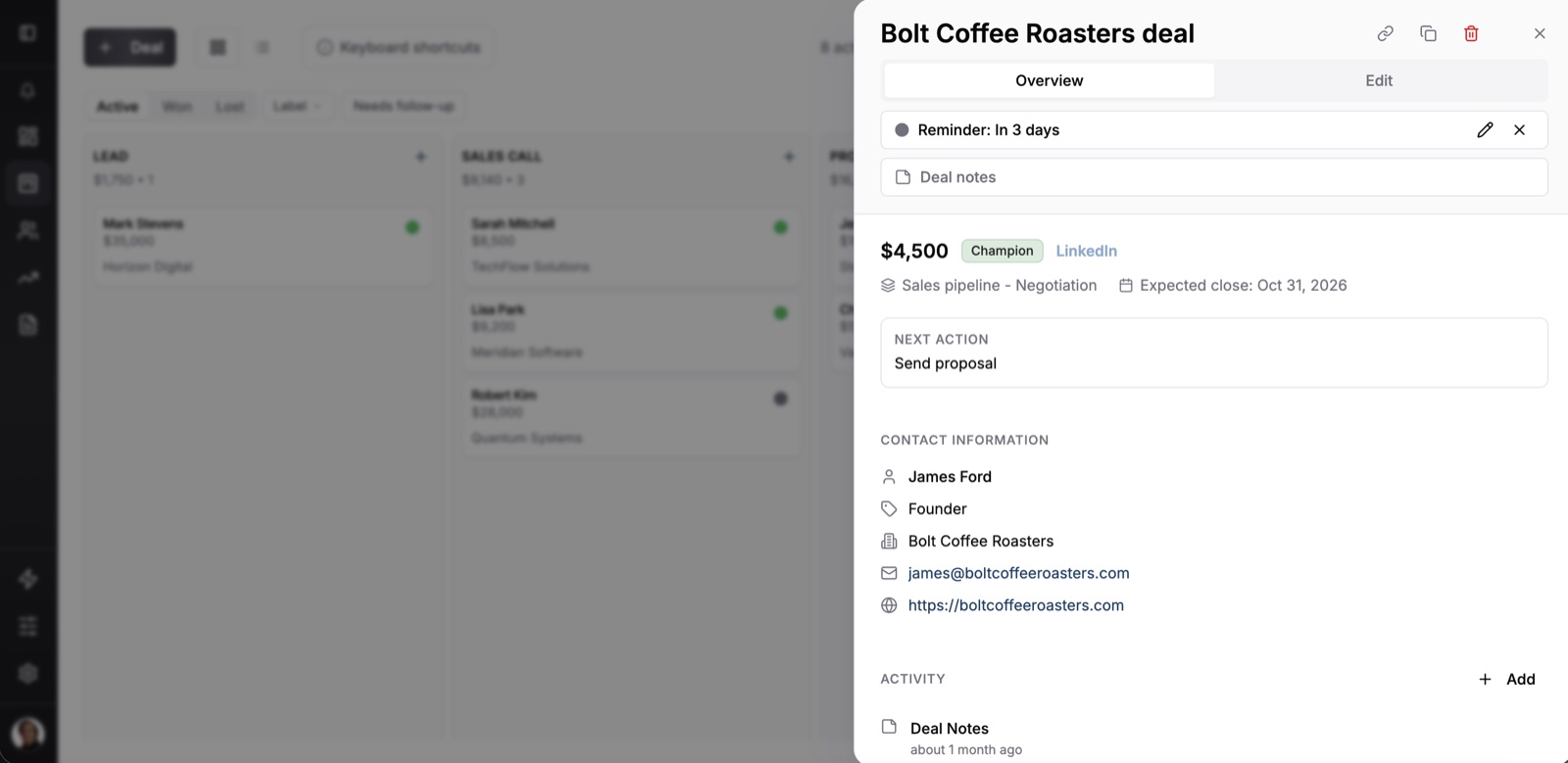
So in Fluid CRM every deal has a next action and a reminder, and a morning email lists what is due today and what is overdue. A deal that needs you reaches your inbox even on a day the board stays shut.
Hanna-Maria Ojala runs Menestyvä Myynti, a sales coaching business, and used Pipedrive before Fluid CRM. She says she can now see where each deal stands and what needs to happen next, and that her daily work is more focused.
Nicolas Virtsonis, who runs a B2B marketing agency, tried Pipedrive among half a dozen CRMs before picking Fluid CRM. “Simple, quick and easy to enter and update data and flexible enough for a startup project.”
Fluid CRM costs $16 per seat a month or $144 per seat a year, and that single plan has every feature in it. Two limits matter next to Pipedrive. Emails reach a deal when you BCC them, since there is no inbox sync, and on a phone you use Fluid CRM in the browser because there is no app to install.
For a feature-by-feature look, see our Fluid CRM vs Pipedrive comparison. If you have decided to leave and want the wider field, our list of Pipedrive alternatives sorts them by why people switch.
Pipedrive Review FAQ
Yes, for small teams that sell through a pipeline and open it every day. It is easy to learn and the board is clear. Teams of one to five that need email sync often end up paying for Growth to get it.
The most common complaints are reporting that takes filters and setup, email sync and automations that start on Growth and extras sold as add-ons. Some users also report slower support since it moved toward an AI chatbot.
Pipedrive costs $14, $39, $59 or $79 per seat a month billed yearly, or $24, $49, $79 or $99 billed monthly. LeadBooster and Smart Docs cost extra on Lite and Growth, and Campaigns costs extra on every plan.
No. Pipedrive has a 14-day free trial with no credit card required, and after that the cheapest option is a Lite seat at $14 a month billed yearly.
The product works as before, and the CEO’s note says the company will keep investing in the core CRM. The note also says most roles would be affected, so pay monthly at first and export your data regularly.
Should You Buy Pipedrive? Our Verdict
Buy Pipedrive if you have a real sales team that lives in the board and will pay for Growth. If you are a small team that mostly needs every deal to have a next step and a reminder, without adding a plan for each feature, try Fluid CRM.
Start your 7-day free trial here, no credit card required.