

Copper’s pricing page opens at $23 a seat, and plenty of Google Workspace teams budget from that number. A team that needs opportunities, leads and a pipeline report pays $59 a seat, not $23. The difference comes from which rows Copper ticks on each plan.
Copper CRM costs $23, $59 or $99 per seat a month on annual billing, or $29, $69 and $134 billed monthly. A team that needs opportunities and leads needs Professional, so 3 seats cost $2,124 a year. Fluid CRM has one plan at $16 per seat a month, with every feature included.
Copper CRM Pricing for 1, 3 and 5 Seats
Copper sells three plans, Basic, Professional and Business, and prices each one per seat. Annual billing is paid up front for the year, and monthly billing costs more per seat on every plan.
| Plan | Billed annually | Billed monthly | Annual saving | Contacts | Custom fields |
|---|---|---|---|---|---|
| Basic | $23/seat/month | $29/seat/month | About 21% | 2,500 | 25 |
| Professional | $59/seat/month | $69/seat/month | About 14% | 15,000 | 50 |
| Business | $99/seat/month | $134/seat/month | About 26% | Unlimited | Unlimited |
There is no free plan. Every plan starts with a 14-day free trial, and Copper does not ask for a credit card to start it.
Here is what a small team pays per month and per year, before tax.
| Seats | Basic, annual | Basic, monthly | Professional, annual | Professional, monthly | Business, annual | Business, monthly |
|---|---|---|---|---|---|---|
| 1 seat, per month | $23 | $29 | $59 | $69 | $99 | $134 |
| 1 seat, per year | $276 | $348 | $708 | $828 | $1,188 | $1,608 |
| 3 seats, per month | $69 | $87 | $177 | $207 | $297 | $402 |
| 3 seats, per year | $828 | $1,044 | $2,124 | $2,484 | $3,564 | $4,824 |
| 5 seats, per month | $115 | $145 | $295 | $345 | $495 | $670 |
| 5 seats, per year | $1,380 | $1,740 | $3,540 | $4,140 | $5,940 | $8,040 |
The annual discount is uneven. On Professional it saves $120 per seat a year, while on Business it saves $420, because Business has by far the biggest gap between the two rates.
Five people on Business paid monthly cost $8,040 a year, which is almost six times the same team on Basic with annual billing.
Why Copper’s Annual Plan Locks In Your Headcount
The annual rate is cheaper, and it also commits you to the number of seats you buy. Copper adds new seats straight away and prorates them to the end of your term, so growing mid-year is easy.
Shrinking is the slow direction. Copper schedules a seat reduction for the next renewal, so on annual billing a seat you no longer need keeps costing money until the year runs out.
Take a 5-person team on Professional, billed annually. Someone leaves in month two, and the team still pays $708 for that seat across the full year. On monthly billing the same seat costs $69 a month, and the reduction lands at the next monthly bill.
So annual billing is the right call when your headcount is settled. If you are hiring, testing a new salesperson or unsure the team will use Copper at all, pay monthly for the first few months and switch once the seat count stops moving.
What Copper Basic Leaves Out of a Sales Pipeline
Copper Basic is a contact, task and project tool that sits beside Gmail. It includes customizable pipelines, task automation, reminders, forms and Zapier. On Copper’s own comparison table, though, the Sales opportunities and Leads rows are crossed out on Basic and ticked from Professional.
The same is true of workflow automation, pipeline and activity reports, the API and team permissions. Copper says 63% of customers start on Professional, which fits the table.
| Feature | Basic | Professional | Business |
|---|---|---|---|
| Sales opportunities | No | Yes | Yes |
| Leads | No | Yes | Yes |
| Task automation | Yes | Yes | Yes |
| Workflow automation | No | Yes | Yes |
| Bulk email | No | Yes | Yes |
| Email open tracking | No | Yes | Yes |
| Email click tracking | No | No | Yes |
| Email series | No | No | Yes |
| Activity and pipeline reports | No | Yes | Yes |
| Custom reports | No | No | Yes |
| Zapier | Yes | Yes | Yes |
| API and native integrations | No | Yes | Yes |
| Team permissions | No | Yes | Yes |
| Single sign-on (Okta) | No | No | Yes |
| Multi-currency | No | No | Yes |
Basic to Professional: the sales tools
Professional is where Copper becomes a sales CRM. You get opportunities and leads as their own records, workflow rules that act when a deal changes, bulk email with open tracking and the two standard reports a sales meeting needs.
It also opens the API and Copper’s native integrations, including Slack, QuickBooks, DocuSign, PandaDoc, Mailchimp, RingCentral, JustCall and Zendesk. On Basic, the only connections outside Google are Zapier and LinkedIn.
Professional to Business: reporting and control
Business adds email series, which send a timed run of emails to a contact, plus click tracking and a custom report builder. It also lifts the contact and custom field limits, adds multi-currency and single sign-on, and lets you remove Copper branding from your forms.
Those are the things a sales manager or an operations person asks for. A team of three founders and sellers rarely needs them, and Business costs $40 a seat a month more than Professional on annual billing.
Which Google Workspace Features Each Copper Plan Includes
Copper is built to run inside Google Workspace. It adds a Chrome extension that shows the CRM next to Gmail, and that part is on every plan.
Here is the Google side of each plan.
- Every plan. Gmail email, contact and file sync, the Chrome extension, Google Calendar sync, Google Contacts sync, Google Drive and sign in with Google.
- Professional and Business. The Google Sheets add-on and Looker Studio, for reporting on Copper data in Google’s own tools.
So the Gmail sidebar and sync people pick Copper for are the same on every plan. What changes between plans is the sales tooling around it, not the inbox part.
Copper’s seat price covers Copper only, and Google bills Workspace separately.
Which of the Google features above does your team use every week? If the answer is Gmail and Calendar sync, Basic gives you those. If the answer is reports and opportunities, you are a Professional customer whatever the Gmail side looks like.
Is Copper CRM Worth It for a Gmail Team?
Copper Professional is worth it for a team that spends the day in Gmail and wants every email logged on the right contact without thinking about it. The sidebar saves typing, and for a team of three the $2,124 a year buys a CRM that fits the inbox they already use all day.
It is a harder sell when the inbox is not where your deals get decided.
My old outbound agency, Fenixtal, built 12M€+ in pipeline for 50+ B2B clients. The leads I saw die there usually died in the days after a good call, when nobody wrote down the next step. A sidebar that logs the email does not fix that, but a reminder that reaches you does.
That is the problem we built Fluid CRM for. It is one plan at $16 per seat a month or $144 per seat a year, and reminders, a daily digest email, unlimited pipelines, 8 in-app automations, lead capture forms, the API, webhooks and an MCP connector for Claude and ChatGPT are all in it. For 3 people that is $432 a year on annual billing.
Doland White, founder of DWC and an executive coach, came to Fluid CRM from exactly the Google setup many Copper buyers start with. He put his old setup this way: “I was tracking prospects, clients, and podcast guests across Google Contacts, LinkedIn, spreadsheets, and marketing platforms.” Now all three sit in one pipeline.
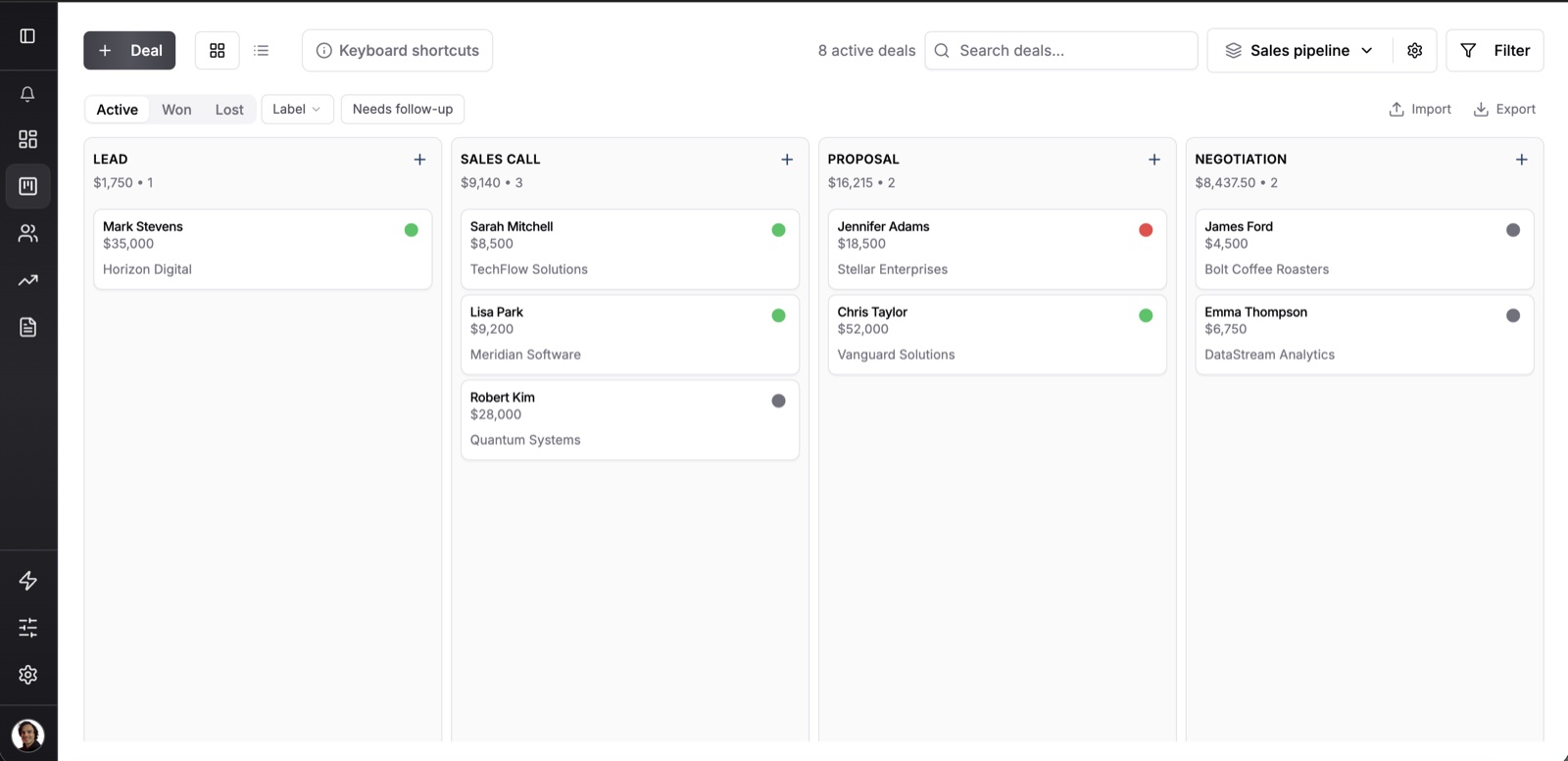
Peter Duffy, a Fluid CRM customer on a small B2B team, said what stood out to him. “What I particularly like is that Fluid focuses on the features a small B2B team actually needs.”
Fluid CRM gives up two things a Copper buyer will notice. It has no Gmail sidebar, so you work deals in their own tab. It also logs email by BCC instead of syncing your inbox both ways, which our post on CRM email sync explains in full.
If you are weighing other tools too, our list of Copper CRM alternatives compares them by the plan that runs a sales pipeline.
Copper CRM Pricing FAQ
Copper costs $23 per seat a month on Basic, $59 on Professional and $99 on Business with annual billing. Paid month to month, the same plans are $29, $69 and $134. Every plan is priced per seat.
No. Copper has a 14-day free trial with no credit card required, and after that every plan is paid. Older guides still list a Starter plan, but Copper now sells Basic, Professional and Business.
Workflow automation starts on Professional, at $59 per seat a month on annual billing. Basic has task automation only. Email series, which send a timed run of emails, are on Business.
You can request it, but the reduction takes effect at your next renewal. On annual billing that means you keep paying for the seat until the year ends. New seats are added straight away and prorated.
Copper is worth it for a team that works in Gmail all day and needs opportunities, leads and reports, which means Professional. If you only need contacts and tasks next to Gmail, Basic is enough. If the inbox is not where you manage deals, a simpler CRM costs less.
No. Copper’s seat price covers Copper only, and Google bills Workspace separately. Copper is built to work inside Google Workspace, so plan for both bills.
Which Copper Plan a Gmail Team Should Start On
Start from the job your team does each week, not from the cheapest price on the page.
- Basic, $23 a seat. You want contacts, tasks and projects next to Gmail, and nobody needs a deal report.
- Professional, $59 a seat. You track opportunities and leads, want workflow rules and need pipeline reports. This is where most sales teams belong.
- Business, $99 a seat. A manager needs custom reports, email series, single sign-on or more than one currency.
Pay monthly while your headcount is still changing, then move to annual once it settles. If what you need is a simple pipeline with reminders rather than a CRM inside Gmail, Fluid CRM covers it on one plan.
Start your 7-day free trial here, no credit card required.