

Most free CRM Excel templates are a contact list with a fancy name. You download them, paste your customers in and three weeks later you still cannot answer the only question that matters, which deals need attention today. A CRM in Excel is worth building, but only with the right structure.
A working CRM Excel template needs 4 sheets: Contacts, Deals, an Activity Log and a Dashboard that reads from the other three. Grab the free template or build it in half an hour. Excel holds up to about 30 open deals, past that a tool like Fluid CRM takes over before follow-ups start dying.
What a CRM Excel Template Actually Is (And Is Not)
A CRM tracks three things: who you know, what you might sell them and what happened last. In Excel terms that is a Contacts sheet, a Deals sheet and an Activity Log, with a Dashboard on top doing the math. One file, four tabs, no subscriptions.
A single flat sheet with names and phone numbers is not a CRM, it is an address book. The moment you try to track a deal in it, you end up widening the same row with status columns until nobody can read it. Separating people from deals is the whole trick, because one company can carry three deals and a deal can outlive the contact who started it.
Starting in Excel is not the amateur move CRM marketing implies. Kyler Thompson of Knight Theory, a solo creative studio, put the reason plainly: “Other CRMs force so many unneeded features onto me in the name of being an all-in-one.” Excel is where you go when you want the tracking without the forced features, and for a small pipeline that is a rational trade.
The 4 Sheets a CRM Excel Template Needs
[VERIFY against the live /crm-template page and file before publish: the sheet names and structure below, the Download for Excel and Copy to Google Sheets buttons, and that the download has no email gate]
Sheet 1: Contacts
One row per person: name, company, email, phone, source and one notes column. Source earns its place because six months in it is the only way to know which channel actually produces customers. Resist adding more columns, every empty field is a small reason to stop updating the file.
Sheet 2: Deals
One row per deal, and this sheet does the heavy lifting: company, contact, deal value, stage, probability, next action, next action date, last touch and notes. Stage comes from a fixed dropdown list, Lead, Contacted, Call Booked, Proposal, Won, Lost. The two columns people skip, next action date and last touch, are the two that keep deals from dying quietly.
Sheet 3: Activity Log
Three columns: date, contact, what happened. Almost every template skips this sheet, and it is the one that gives the file a memory. When a deal stalls and you cannot remember whether anyone called them in June, this tab answers in five seconds. A notes cell never can, because a cell only holds its latest value.
Sheet 4: Dashboard
No manual typing on this tab, only formulas reading the other three. Pipeline value, weighted pipeline value, deals per stage, win rate. If a number on the dashboard needs to be typed by hand, it belongs on another sheet.
Build the CRM in Excel in 30 Minutes
Five steps take a blank workbook to a working CRM: Contacts, Deals, Activity Log and Dashboard tabs, wired together with a handful of formulas.
Step 1: create the sheets and headers
Make the four tabs, type the headers from the sheet list, and freeze row 1 on each (View, then Freeze Panes). Ten minutes, most of it typing.
Step 2: add the dropdowns
Select the Stage column on Deals, then Data, then Data Validation, and enter the six stages as the list. Do the same for Source on Contacts with your real channels: referral, cold email, LinkedIn, inbound. Free-typed values fork into five spellings within a week and break every formula downstream.
Step 3: wire the dashboard formulas
Four formulas cover it. Deals per stage: =COUNTIF(Deals!D:D,"Proposal"). Pipeline value in a stage: =SUMIF(Deals!D:D,"Proposal",Deals!C:C). Win rate: =COUNTIF(Deals!D:D,"Won")/(COUNTIF(Deals!D:D,"Won")+COUNTIF(Deals!D:D,"Lost")) formatted as a percentage. For weighted pipeline value, add a helper column on Deals with =C2*E2, deal value times probability, and put a =SUM of it on the dashboard, because the weighted number is the honest one to plan around.
Adjust the column letters to your layout and the dashboard updates itself from then on.
Step 4: make overdue follow-ups turn red
On the Deals sheet, select the data range, then Conditional Formatting with the formula =AND($G2<>"",$G2<TODAY()) where G is next action date, fill red. The AND guard matters, without it every blank row and closed deal glows red forever. An overdue deal now announces itself, on the days the file gets opened.
Step 5: or take the finished file
The free CRM template is this exact four-sheet structure, ready to go, with a Download for Excel button and a Copy to Google Sheets button. Copying it takes about a minute, which is a strong argument against the 30-minute build unless you want the structure in your fingers.
Adapting the CRM Excel Template to Your Business
The structure stays, the words change. Adapting the template well means renaming things, not adding tabs.
Rename the stages first, because generic stages are why templates go stale. A freelancer’s pipeline might run Enquiry, Call, Proposal, Deposit Paid. An agency running outbound wants Replied, Call Booked, Proposal, Won. A real estate investor tracks Contacted, Viewing, Offer, Under Contract. Ten minutes in the dropdown list and the file speaks your language.
Then allow yourself one extra column on Deals, at most. A photographer might add Event Date, a consultant might add Retainer or Project. The discipline matters more than the field, because every template death I have seen started with a burst of enthusiasm and fifteen new columns nobody filled twice.
Leave the Dashboard alone until the file has a month of real data in it. Dashboards built before the data exists get designed for imaginary questions, and the three formulas it ships with answer the real ones.
Where the Excel CRM Breaks
I ran a B2B outbound agency before building Fluid CRM, booking 1,250+ sales calls for 50+ clients, and I watched a lot of client pipelines live and die in exactly these files. The file was almost never the problem at the start. It became the problem at the same three points every time.
The file cannot tap you on the shoulder. The red overdue rows from step 4 only warn somebody who opens the file. The busy week when follow-ups slip is the same week nobody opens it, so deals die on the days the file stays closed.
The second user breaks trust. Sort orders collide, someone pastes over a formula, and within a month there are two versions of the truth and nobody is sure which row is current.
And past about 30 open deals, in my experience, updating the file becomes a chore you defer. Deferred updates make the dashboard lie, and a dashboard you do not trust stops being opened at all.
None of that means start with a paid tool. It means the template has a working range, and inside that range the buyers are picky for good reason. One verified customer, a solopreneur, described the bar any paid tool has to clear: “Clean, functioning and well thought design and not all the gimmickies that you pay extra, study forever and never use.” Until a tool clears it, the spreadsheet deserves to win.
When to Move From the Template to a CRM
Two triggers, and only two: the deal count passes about 30, or a second person needs the pipeline. Before either, stay in the file. After either, the math flips, because the hours you spend nursing the spreadsheet start costing more than a tool does.
The move is smaller than it feels. The four sheets map directly onto a CRM’s contacts and pipelines, and in Fluid CRM the import is a CSV upload that takes minutes, with every feature on one plan at $16/seat/month or $144/seat/year and a 7-day free trial, no credit card required. The difference you feel first is the reminder that fires whether or not you open the app. The before and after is on our spreadsheet to CRM page.
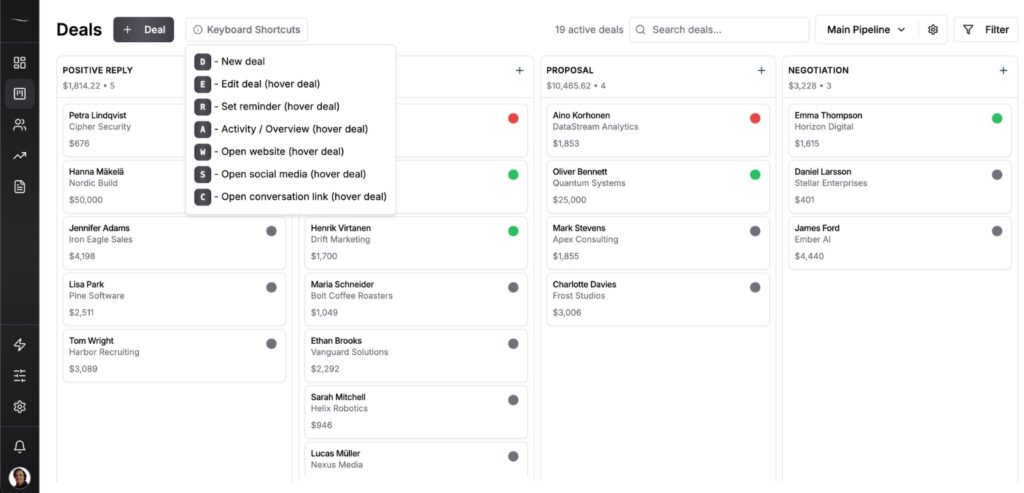
For comparing actual tools when the time comes, Excel CRM alternatives covers the candidates, and Google Sheets vs CRM: when to make the switch covers the timing question in depth.
Frequently Asked Questions
Yes. The template linked in this post is free with no email gate, and building your own from the four-sheet structure costs only the half hour. Be more careful with “free” templates that are really trial funnels for template marketplaces.
Up to about 30 open deals and one user, genuinely yes, provided the file separates contacts from deals and tracks a next action date. Past that point Excel still stores the data fine, it just stops driving the follow-up behavior that makes a CRM worth keeping.
Four sheets: Contacts, Deals, Activity Log, Dashboard. Add dropdown validation for deal stages, three COUNTIF and SUMIF formulas on the dashboard, and conditional formatting that flags overdue next actions. The build section above walks each step, and the whole thing takes about 30 minutes.
Google Sheets for anything shared or used on a phone, Excel for offline and single-user work, since simultaneous edits and mobile access are the two things Excel handles worst. The four-sheet structure and every formula in this post work identically in both. The free template comes in both formats, so you can switch later without rebuilding.
A template stores the same data, software acts on it. The file will never send you a reminder, log an email on its own or keep one version of the truth once two people edit it, and those three gaps are the actual product you pay a CRM for. Under about 30 open deals the gaps rarely hurt, which is why the template is the right start.
The Free CRM Excel Template to Copy Today
Copy the free CRM template or build the four sheets yourself, put every live contact and deal in it today, and let the dashboard do its own math from tomorrow morning. Then mark the day it holds 30 open deals, because that is the day the file has done its job.
Start your 7-day free trial here, no credit card required.