

HubSpot Starter is $20 a seat and Salesforce Starter Suite is $25, so the choice looks close. It isn’t, because neither cheap plan gives a small team a sales forecast. That sits one step up on both, and each vendor charges something different on top of the seat when you get there.
HubSpot is cheaper to start and easier to set up, and Salesforce suits a team with an admin and a custom process. Both put sales forecasting at about $100 per seat. A B2B team of 3 to 10 that needs a working pipeline more than a platform can look at Fluid CRM, one plan at $16 per seat per month.
Where HubSpot and Salesforce Both Put Forecasting
Most HubSpot vs Salesforce pages compare features. For a team of three or five, the useful comparison is the price of the plan where forecasting starts, and what comes attached to it.
| HubSpot Sales Hub | Salesforce | |
|---|---|---|
| Free plan | Free for up to 2 users | Free Suite at $0 |
| Cheapest paid plan | Starter, $20 per seat billed monthly | Starter Suite, $25 per user, billed monthly or annually |
| Forecasting on the cheapest plan | No | No |
| Plan where forecasting starts | Professional, $90 per seat billed annually or $100 billed monthly | Pro Suite, $100 per user billed annually |
| Commitment on that plan | Monthly or annual | Annual contract required |
| Extra purchase on that plan | One-time onboarding, $1,500, required | None required |
| Paid support tier | Not listed separately | Premier Success Plan at 30% of net license fees |
| AI | HubSpot Credits included on paid plans | Agentforce for Sales from $125 per user per month, added to Core ($195 per user per month) and above |
The two cheap plans are closer than they look. HubSpot Starter includes email sequences, and Salesforce Starter Suite includes customizable reports, dashboards and email marketing tools. HubSpot also shows a lower annual price to new customers, so the $20 is the monthly rate. Every HubSpot plan priced for 3, 5 and 10 seats is in our HubSpot pricing guide.
What neither one includes at that level is a forecast. HubSpot puts forecasting and custom reports on Professional. Salesforce’s comparison table leaves Sales Forecast Management, quotes, custom objects and Flow automation off Starter Suite and puts all four on Pro Suite.
What each vendor charges at the $100 step
HubSpot’s Professional plan can be paid monthly, which Salesforce Pro Suite cannot. The catch is onboarding, a required one-time fee of $1,500 on Professional and $3,500 on Enterprise that comes on top of the seats.
Salesforce does it the other way. There is no required onboarding fee, but Pro Suite is billed annually and the pricing page says a contract is required. Its Premier Success Plan, the tier with expert guidance and 24/7 support for business-stopping issues, is sold at 30% of net license fees.
A year of seats for a 3 or 5 person team
Here is year one for the plans a small team would actually consider. HubSpot rows use the list prices above, and the Professional rows include the one-time $1,500 onboarding fee because you pay it in year one.
| Setup | 3 seats, year one | 5 seats, year one |
|---|---|---|
| HubSpot Starter, billed monthly at $20 | $720 | $1,200 |
| Salesforce Starter Suite at $25 | $900 | $1,500 |
| HubSpot Professional, billed annually at $90 | $4,740 | $6,900 |
| HubSpot Professional, billed monthly at $100 | $5,100 | $7,500 |
| Salesforce Pro Suite, annual contract at $100 | $3,600 | $6,000 |
| Salesforce Pro Suite with Premier Success | $4,680 | $7,800 |
At the entry level HubSpot is $180 a year cheaper at 3 seats and $300 cheaper at 5. Once a forecast is part of the requirement, Salesforce Pro Suite is $3,600 for three people and $6,000 for five, while HubSpot Professional on annual billing is $4,740 and $6,900 in year one with onboarding. From year two HubSpot drops to $3,240 and $5,400, so the deciding line becomes a one-time $1,500 fee on one side and a contract on the other.
Year two drops HubSpot’s onboarding fee. Salesforce’s contract renews, and Premier Success stays at 30% for as long as you keep it.
A small team usually wants a forecast for one reason. How many deals in your pipeline right now have a close date you would bet a month’s payroll on? If the honest answer is “a few”, you need a sales team CRM where every deal has a value, a stage and a next step before you need a forecasting module.
Who Builds and Maintains HubSpot or Salesforce
The seat price is only part of what a CRM asks from a small team. The other part is hours, and here HubSpot and Salesforce are far apart.
HubSpot works on the day you sign up. Contacts, deals and a pipeline are ready, and Starter adds sequences without anyone designing anything. The setup load arrives at Professional, which is also the plan where HubSpot requires a paid onboarding at $1,500.
Salesforce describes Starter Suite as a turnkey CRM for lean businesses, and for the basics it is. The trouble starts when you move to Pro Suite for the forecast, because what Pro Suite adds is mostly build-it-yourself power. Custom apps and objects, Flow automation and access to AppExchange are tools for shaping the CRM around your process, and someone has to do the shaping.
In a company of 200 that someone is a Salesforce admin with the job title to match. In a team of five it is whoever cares most, usually the founder, in the evenings. Salesforce sells help for that too, through its Success Plans, Professional Services and certified partners.
At Fenixtal, my outbound agency, I booked sales calls for B2B clients and saw which CRM each lead landed in. The ones on Salesforce often had an account that cost a fortune while the sales team barely touched it.
If your other tab is a sales-only tool rather than HubSpot, I priced Salesforce against one in Pipedrive vs Salesforce.
HubSpot or Salesforce by Who Owns the Setup
The cleanest way to choose between these two is to ask who on your team will look after the CRM. Team size matters less than that.
Nobody owns it
Pick HubSpot. It is usable with no setup project, the free plan covers two people and Starter covers a small sales team for $20 a seat billed monthly. You will not have a forecast, and you should be honest with yourself about whether you need one.
Stay on HubSpot if you are already on Starter and your pipeline fits on one screen. Moving to Salesforce would add work and buy you tools nobody will configure.
A part-time ops person
HubSpot Professional, if the forecast and custom reports matter and someone will spend a few hours a month on them. The required $1,500 onboarding is there to get that person started.
Salesforce Starter Suite also fits here when service and marketing email belong in the same system as sales. It costs $5 more per seat than HubSpot Starter and includes support cases and email campaigns.
A full-time admin and a custom process
Salesforce Pro Suite. Custom objects, Flow automation and AppExchange are worth the annual contract when someone is paid to use them. A 30-person sales floor with territories and approval rules belongs here, and putting it on a light tool to save money would cost more later.
Marketing already works in HubSpot
Stay on HubSpot. One contact record shared by marketing and sales is the main thing HubSpot does better than anything at this size. If you are wondering whether that is still worth what you pay, I covered it in is HubSpot worth it.
A Small Sales Team Without a CRM Admin
Many teams comparing HubSpot and Salesforce have nobody who will own the CRM and no plan to hire one. They are a B2B team of 3 to 10, and the pipeline is twenty or forty deals that need a next step.
Fluid CRM is built for that team, and we built it so there is no setup project and no plan to climb for a forecast. Revenue forecasting with a 3-month projection, unlimited pipelines and custom fields, reminders with a daily digest, 8 in-app automations and a REST API with webhooks come on every account, in one plan at $16 per seat per month or $144 per seat per year.
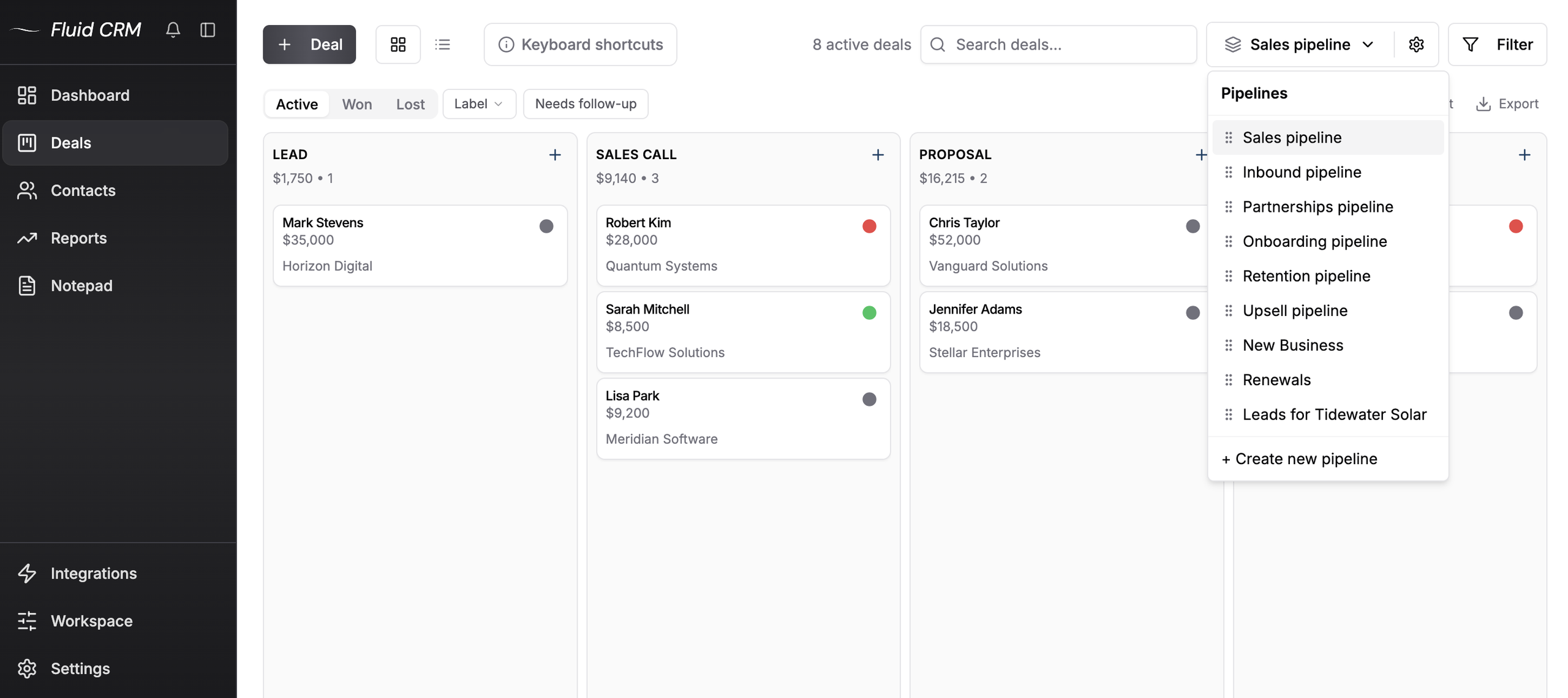
Setup is the part that changes most. You add a pipeline, name your stages, import a CSV and start working, with nothing to design first.
A verified customer who coordinates a European coaching network across several countries described it this way: “FluidCRM is not trying to be Salesforce, and that is exactly why it works.”
Without an admin, someone still has to fix things when the CRM does not fit. On Fluid CRM that is the team that builds it, and you reach them by writing to the founder. Ritz Steytler of Abacus Partners wrote: “In several cases, he fixed or added functionality literally within minutes of being told about it.”
Fluid CRM logs email by BCC and does not sync your inbox both ways, which both HubSpot and Salesforce do. It also sends no marketing email, so if marketing and sales need to work in one system, Fluid CRM is not the tool for it.
For a wider list of lighter options, see the Salesforce alternatives for small business.
HubSpot vs Salesforce FAQ
Yes. Salesforce bills Pro Suite at $100 per user per month annually and its small business pricing page says a contract is required. Starter Suite at $25 is the only paid Salesforce plan you can pay month to month.
Not to get started, but to get what you pay for, usually yes. Pro Suite adds custom objects, Flow automation and AppExchange apps, and those only help once someone designs and maintains them. A team with nobody to do that often gets more from HubSpot Starter or a simpler CRM.
Salesforce lists a Free Suite at $0 on its pricing page, and its paid editions come with a 30-day free trial with no credit card. HubSpot’s free plan covers up to 2 users. Both free plans are a way to try the product, not a long-term home for a sales team.
HubSpot. It works on the first day with no setup project, and the setup work only grows at Professional, where a $1,500 onboarding is required. Salesforce Starter Suite covers the basics without a setup project, but Pro Suite is built to be configured, which takes real hours.
Before You Sign a HubSpot or Salesforce Contract
Pick HubSpot if nobody will own the setup or if marketing already lives in it. Pick Salesforce if you have an admin and a process that needs custom objects. If you are a small B2B team and all you need is a sales team CRM that people open every day, Fluid CRM gives you every feature in one plan with nothing to build first.
Start your 7-day free trial here, no credit card required.