

Attio looks brilliant in a demo, and most of it holds up. The harder question for a small sales team is what happens in week three, when someone has to design the objects, write the workflows and send the follow-ups.
Attio is one of the most flexible CRMs a small team can buy, with custom objects, email sync on every plan and a free plan for 3 seats. The price you pay is setup. Buy it if someone on your team likes building, and skip it if you want a pipeline that works on day one, like Fluid CRM.
Attio Review at a Glance
This is the short version of the review, scored the way a team of 3 to 10 people uses a CRM on a normal working day.
| Area | Verdict | Why |
|---|---|---|
| Data model | Excellent | Custom objects, attributes, lists and relationships you shape yourself |
| Interface | Excellent | Clean and fast, and tied to the ease of use reviewers praise most |
| Email and calendar sync | Excellent | Included on every plan, Free too, and it builds records for you |
| Setup | Weak | The workspace starts nearly blank and someone has to design it |
| Workflows | Weak | Powerful, but reviewers find them hard, and each step costs a credit |
| Reporting | Good | 15 reports on Plus, and reviewers ask for more depth |
| Sending follow-ups | Weak | 12 emails an hour per mailbox, and sequences start on Pro |
| AI | Good | Ask Attio is useful, and it runs on a monthly credit allowance |
Attio scores 4.3 on G2 and 3.8 on Capterra, where only 8 people have reviewed it.
What Attio Does Better Than Most CRMs
Attio lets you describe your business instead of squeezing it into contacts, companies and deals. You add objects, give them attributes, link them together and build lists on top. An investor can track funds and portfolio companies, and a recruiter can track roles and candidates, with no workaround.
The second strength is how much it fills in for you. Connect your inbox and calendar and Attio creates people and companies from your conversations, then enriches them with company details. That works on the Free plan too.
The interface is the third. Some reviewers compare it to Notion, and the comparison is fair. Tables, boards and record pages feel modern, quick and uncluttered.
For teams who work through AI, Attio has a REST API, webhooks and an MCP server for Claude and ChatGPT. Our Attio MCP guide covers what Claude can and cannot change there.
Attio pros
- A data model you design, with up to 5 objects on Plus and 12 on Pro.
- Email and calendar sync on every plan, with automatic enrichment.
- A clean interface that new users pick up quickly.
- A real free plan for up to 3 seats and 50,000 records.
- API, webhooks and MCP, so other tools and AI assistants can work in it.
Where a Small Sales Team Hits Friction With Attio
The friction is rarely about quality. It shows up when a small team that sells for a living meets a tool designed to be configured.
The workspace starts nearly blank
On day one you decide which objects exist, which attributes they carry and how lists and pipelines connect. Reviewers who love Attio still mention this. One wrote that it feels a little too customizable at first, so setup takes more thought than expected, and another said they paid a consulting firm to set up their workspace.
Workflows take a builder
Attio’s workflows can do a lot, and the reviews keep saying they are hard to learn. One small-business reviewer described a simple rule, checking a few things before a deal changes stage, turning into a long, complicated flow.
Each step that runs costs a credit. Creating a record, updating it, adding a task or enrolling someone in a sequence is 1 credit per run, taken from the shared workspace pool.
Sending limits suit one-to-one email
Attio caps every synced mailbox at 12 emails an hour and 200 a day, and that count includes sequences. Mass emails go out five minutes apart.
On top of that, Free allows 200 emails a month per user and Plus allows 1,000. Free sends a mass email to at most 10 people at a time and paid plans to 50, while sequences and call intelligence start on Pro. That is plenty for founders who write each email by hand, and tight for a team that follows up at volume.
AI runs on credits you can use up
Ask Attio, the built-in assistant, has no fixed price per question. Attio’s help docs put a daily briefing at 30 to 50 credits, meeting prep at 10 to 20 and a large outreach task at 50 to 80.
Plus gives each person 500 seat credits a month. A daily briefing every workday is 630 to 1,050 credits a month, so each person runs past their own allowance by 130 to 550. Ask Attio then draws on the shared pool of 1,500 workspace credits, the same pool that pays for every workflow step.
For a team of five, that is 650 to 2,750 extra credits a month against those 1,500. Admins can cap how much Ask Attio takes, and extra packs start at 5,000 credits a month.
Plus stops at 10 seats
Plus covers up to 10 people. The eleventh person moves the workspace to Pro, and our Attio pricing breakdown shows what that does to the bill.
Attio cons
- Setup is your job, and a nearly blank workspace means time before the first deal moves.
- Workflows are hard to learn and use credits on every step.
- 12 emails an hour per mailbox, with sequences on Pro only.
- AI use is metered, so heavy users reach the shared pool fast.
- Reporting is capped, at 3 reports on Free and 15 on Plus.
What 295 Attio Reviews Praise and Complain About
We pulled 295 Attio reviews from G2, 239 of them from small businesses, and counted how many mention each theme in the “what do you like” and “what do you dislike” answers.
On the praise side, 181 mention how easy or intuitive Attio is, 94 mention the interface or design and 75 mention flexibility or customization. Another 65 name the AI features.
On the complaint side, 50 of 293 mention integrations and 47 mention workflows or automation. Then come setup or the learning curve at 39 and email or sequences at 31, with reporting at 28.
The small Capterra set says the same in fewer words. One reviewer on a free trial could only enroll 10 people in a sequence at a time, and another said credits drain fast once workflows touch many records. A third titled their review “Honeymoon is over”.
My read is that “easy” in these reviews usually means easy to use once the workspace exists. Several reviewers who call it easy mention onboarding calls, objects set up for them or simply accepting an invite. The setup complaints come from the people who did the building.
Can you name who on your team would own that job next month?
What Attio Costs a 5-Person Sales Team
Attio has four plans. Free is $0 for up to 3 seats, Plus is $35 per seat a month billed yearly or $44 monthly and Pro is $79 yearly or $99 monthly, while Enterprise is a custom quote. There is a 14-day trial of Pro.
A five-person team that only tracks deals and writes its own emails fits Plus at $175 a month on yearly billing, or $220 billed monthly. If the same team wants sequences for follow-ups, that means Pro. That makes it $395 a month on yearly billing, $4,740 a year, or $495 a month billed monthly.
Pro also raises the allowance to 1,000 seat credits per person and 10,000 for the workspace, so the daily-briefing example from earlier fits inside it. That is part of what the extra $220 a month buys.
Who Attio Fits and Who It Doesn’t
Attio fits a team whose daily work matches its limits. It frustrates a team that keeps hitting them.
Fits: your business is more than deals and contacts
If you track investors and funds, candidates and roles or partners and referrals, Attio’s objects are the reason to buy it. Simpler CRMs give you custom fields, not new record types.
Fits: you send one-to-one email
Founders who write each follow-up by hand stay well under 12 an hour and 1,000 a month. For them the email sync is the feature, and the caps never come up.
Fits: your AI use is occasional
A few Ask Attio questions a week stay inside 500 seat credits. If you would rather ask Claude, the MCP server lets you do that from outside Attio.
Skip: nobody wants to own the setup
If the person who would build Attio is also the person selling, the build waits. My old outbound agency, Fenixtal, booked 1,250+ sales calls for B2B teams, and what happened after each call depended less on which CRM the client had than on whether one person had time to keep it in shape.
Skip: you follow up at volume
A team sending sequences to 100 or more prospects a day from one mailbox meets the 12-an-hour cap and the Pro requirement in the same week. A dedicated sending tool next to a simpler CRM usually suits that team better.
Skip: you want the pipeline working on day one
We built Fluid CRM for exactly this team. You get a pipeline board, deals, contacts, reminders, multiple pipelines, 8 in-app automations, lead capture forms, an API and a connector for Claude and ChatGPT, all switched on at signup.
One verified customer, who runs a coaching network, keeps separate pipelines for coaches, trainers and city hubs. Their review puts the reason plainly, “Most CRMs treat pipelines as a sales funnel and nothing else.”
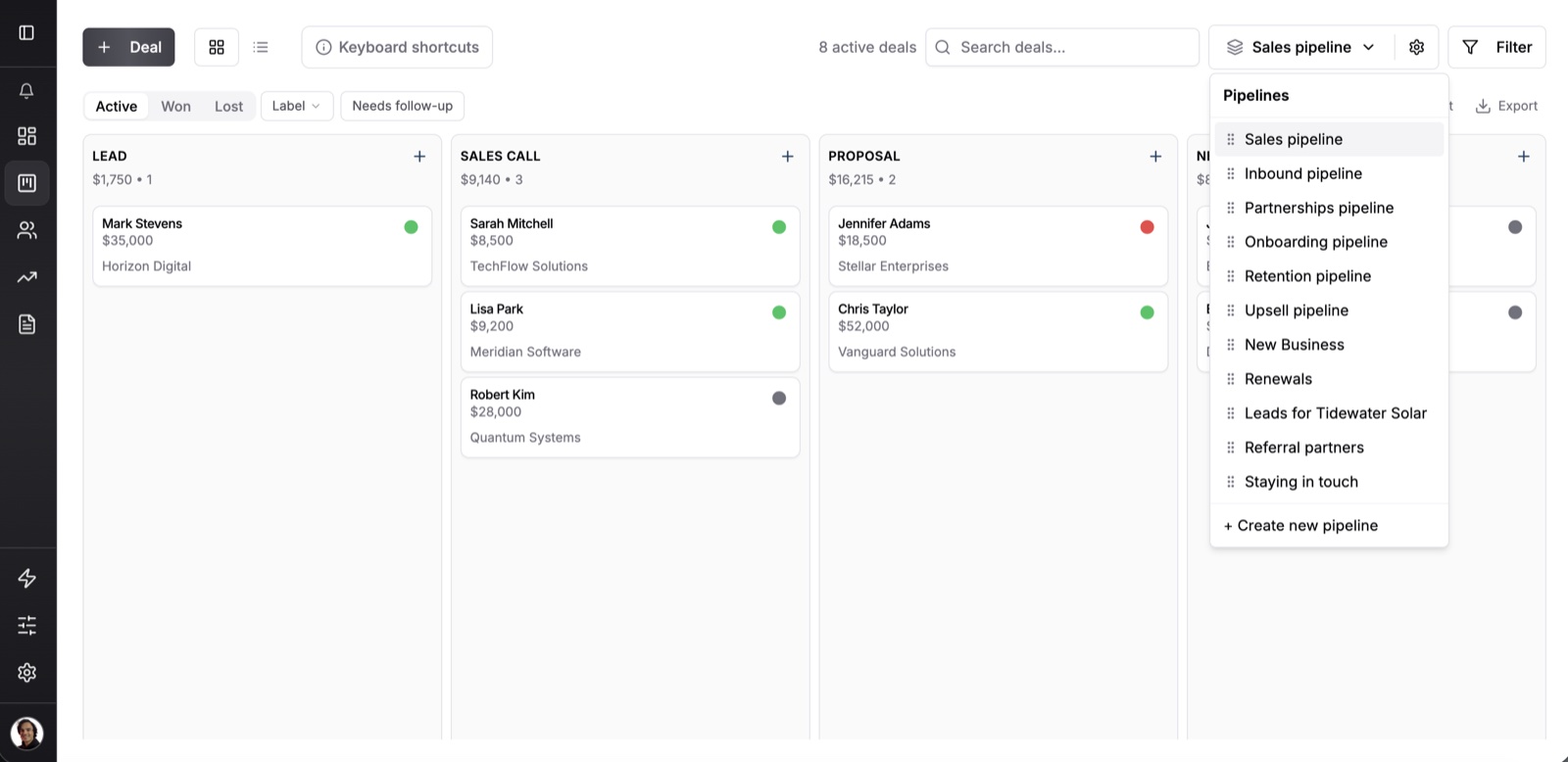
Matthew, a verified customer who has tried more than ten CRMs, Attio among them, called Fluid CRM “so far my favorite CRM of all time”.
Fluid CRM has two limits that matter in this choice. It logs email by BCC instead of syncing your inbox both ways, and it has unlimited custom fields but no custom objects. If either one is a deal-breaker, Fluid CRM is not the tool for you.
Fluid CRM costs $16 per seat a month or $144 per seat a year, with every feature in that one plan. Our Fluid CRM vs Attio comparison puts the two side by side, and Attio alternatives covers the other options.
Attio Review FAQ
Yes, for small teams with someone who enjoys setting up tools. Most of the G2 reviews we pulled come from small businesses and praise the interface and flexibility. Teams without a builder often find the setup and workflows slow them down.
Attio has a free plan for up to 3 seats and 50,000 records, with email and calendar sync included. It caps you at 200 emails a month per user, 3 reports and 250 workspace credits. Paid plans start at $35 per seat a month billed yearly.
The basics are quick, because email sync builds your contacts and companies for you. Designing objects, lists and workflows takes longer, and one reviewer paid a consulting firm for it. Plan real time for it before your team relies on it.
Yes. Attio has apps for iOS and Android, so you can check and update records away from your desk. Reviewers say it is handier for checking than for logging notes.
Reviewers most often name integrations, workflows, setup and email. The plan limits matter too, including 12 emails an hour per mailbox, sequences only on Pro and AI features that use monthly credits.
Is Attio Worth It? The Verdict
Attio is worth it for a small team with a builder and a business that does not fit plain deals and contacts. It is not worth it for a team that needs to send at volume, or for a team that wants to start selling on day one, which is the team we built Fluid CRM for.
Start your 7-day free trial here, no credit card required.