

The lists ranking cold email software all review the same seven sequencers and call it a day. But your sequencer is not what decides if your emails land or if your leads close. After 3 years and 1,250+ sales calls booked at Fenixtal, this is the full 11-tool stack we actually ran.
The best cold email software is a stack, not one platform. You need seven layers: a sequencer (Smartlead), domains (Dynadot), inboxes (Premium Inboxes), lead sourcing (Prospeo), lead enrichment (Clay), email verification (CSVgo) and reply tracking (Fluid CRM). This is the stack I ran for 50+ B2B clients.
If you’re into cold email outreach, you should read my 30 step cold email playbook and the best CRMs for cold email after this article. But first, let’s see why you need more than just a sequencer.
Why Cold Email Software Is Seven Jobs, Not One Tool
Cold email software is not one product category. It’s seven separate jobs, and the tool everyone argues about (the sequencer) is only one of them. Your domains and inboxes decide whether your emails reach the inbox at all. Lead sourcing and verification decide whether the inboxes you reach belong to real people. And your CRM decides whether the replies you earn turn into money.
Buying an all-in-one cold email platform is the wrong move. When one company owns your sending, your data and your deliverability, you can’t swap out the weak layer without ripping out everything. Split the stack and own each layer. Plus, multiple specialized tools will give you a more powerful stack anyways.
If your sequencer starts landing in spam, you can switch email accounts, lead sources or copy in an afternoon. Nothing else breaks.
In 3 years running cold email at Fenixtal, we booked 1,250+ sales calls and generated 12M€+ in pipeline for 50+ B2B clients. The stack below is what we settled on after burning money on the alternatives. And the most expensive lesson wasn’t about sending at all.
Austin Verner, who runs the cold email agency Cold Emailers, put it plainly: “The biggest reason for our churn is they’re getting leads, but they’re not closing.” Clients pay for replies, get replies, then lose them because nobody tracks what happens next. That’s why lead tracking is a layer in this stack and not an afterthought.
Here are the 7 categories and the 11 tools, with one best pick per category. No “it depends” endings.
| Job | Best pick | Starting price | What it decides |
|---|---|---|---|
| Sequencer | Smartlead | $39/month | How your campaigns send and rotate |
| Domains | Dynadot | $10.88/domain/year | Whether your main domain stays safe |
| Inboxes | Premium Inboxes | $3.50/inbox/month | Whether emails land in the inbox |
| Lead sourcing | Prospeo | $49/month | Who you email |
| List enrichment | Clay | $185/month | How fast you build quality lists at scale |
| Email verification | CSVgo | From $7 (one-time credits) | Whether your bounce rate stays under 2% |
| Lead tracking | Fluid CRM | $16/seat/month | Whether replies turn into revenue |
Best Cold Email Sequencers
A cold email sequencer sends your campaigns, rotates your inboxes, warms up your accounts and collects replies in one place. This is the layer every other list covers, so I’ll keep it tight. Two picks, and the first one is the answer for most agencies.
1. Smartlead (best cold email sequencer)
Smartlead is the sequencer we ran client campaigns on at Fenixtal, and it’s the best pick for agencies and anyone sending real volume. Every plan includes unlimited email accounts, which matters more than any other feature. Safe cold email means 10-20 sends per inbox per day, so scaling volume means adding inboxes, and Smartlead never charges you per inbox. Inbox rotation spreads your sending across all connected accounts automatically, which protects each sender’s reputation.
Warmup is unlimited and included on every plan, so new inboxes build a sender reputation in the background before they touch a real campaign. The unified inbox keeps every reply from every campaign in one view, and webhooks push positive replies straight into your CRM the moment they arrive (more on that in the Fluid CRM section). For agencies, the higher tiers add client workspaces so each customer sees their own campaigns under your brand.
As a Smartlead Certified Partner, we ran client campaigns through Smartlead at Fenixtal for one plain reason. When you manage sending for 10 different clients, per-inbox pricing punishes you for doing your job safely. Smartlead’s flat plans mean adding the 40th inbox costs the same as adding the 4th.
Pricing starts at $39/month for the Base plan.
Where it falls short: The Base plan caps you at 2,000 active leads and 6,000 sends per month, which serious senders outgrow within weeks. Budget for the Pro plan at $94/month if you’re running this as a business. Verification also costs extra, which is fine, because you should verify with a dedicated tool anyway.
2. Instantly (runner-up sequencer)
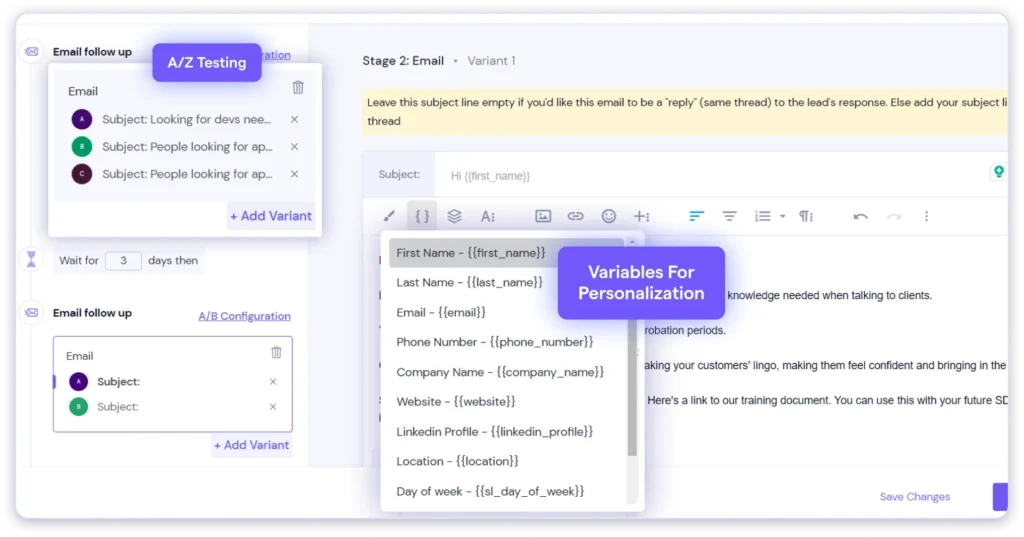
Instantly is the sequencer most people think of first, and it earns the reputation. Unlimited email accounts, unlimited warmup and a cleaner interface than Smartlead. If you’re a solo founder sending your first campaigns, Instantly is easier to learn and the entry price covers a full setup.
Pricing starts at $47/month for the Growth plan.
Where it falls short: Instantly sells its lead database and CRM as separate subscriptions, so the advertised price is rarely your final bill. Skip both add-ons. Bring your own lists from the sourcing tools below and track replies in a real CRM. The Growth plan’s 1,000 active contact cap also fills up fast once you run parallel campaigns.
Best Domain Registrar for Cold Email
Buying domains is a cold email purchase decision, not an IT chore, and no big roundup treats it as one. You never send cold email from your main company domain. One bad campaign can burn a domain’s reputation, and if that domain is the one your invoices and client emails run on, you’ve set your own house on fire. You buy separate sending domains, point them at your main site and treat them as replaceable.
A burned domain looks harmless from the inside, which is what makes it expensive. Your sequencer keeps reporting sends, opens drop, replies go quiet and by the time you test inbox placement, every email from that domain has been landing in spam for weeks. There’s no undo button. Warming a fresh domain takes 2-3 weeks, so the real cost of a burn isn’t the $11 for a new domain, it’s the weeks of pipeline that never got built. In 3 years of sending at Fenixtal, replacing domains was a planned line item, never a surprise, and that mindset is the whole reason this category exists.
3. Dynadot (best registrar for sending domains)
Dynadot is where we bought sending domains at Fenixtal. The pricing is flat, honest and cheap compared to other providers. A .com costs $10.88 to register and the renewal is the same $10.88, which matters when you’re holding 10-20 domains and most registrars hook you with a cheap first year then triple the renewal.
Bulk search lets you check and register a batch of name variations in one go, and privacy protection is included on eligible domains.
The buying pattern is simple. If your company is fluidcrm.io, you register close variations like tryfluidcrm.com or getfluidcrm.com, then forward each one to your real site so a curious prospect who types the domain lands somewhere legitimate. Stick to .com for cold email. Cheap novelty endings like .xyz get flagged more and save you a few dollars while costing you replies.
Where it falls short: Dynadot is a registrar, nothing more. It won’t set up your DNS records for cold email (SPF, DKIM, DMARC) for you. Your inbox provider handles that, which is exactly why the next category exists.
Best Inbox Provider for Cold Email
Cold email inboxes are the layer that actually decides deliverability, and almost nobody on page one of Google covers them as a buying decision. Every inbox you send from needs a Google Workspace or Microsoft 365 account with correct DNS records. Set those records up wrong and your campaigns die before your first send. You can do this manually for 4 inboxes. At 20+ inboxes it becomes a part-time job, and one typo in a DKIM record quietly tanks a whole domain.
4. Premium Inboxes (best done-for-you inbox setup)
Premium Inboxes sets up official Google or Microsoft accounts with the DNS records configured and verified by a human, then uploads them straight to your sequencer. Inboxes go live in under 6 hours, and anything that gets flagged is replaced free. That replacement policy is the quiet killer feature. Burned inboxes are a cost of doing cold email, and a provider that swaps them without a fight saves you real money over a year.
The math for how many you need is fixed by the providers, not by ambition. Google and Microsoft start throttling senders above roughly 10-20 cold emails per inbox per day, so 300 emails a day means about 20 inboxes spread across several domains, with 2-3 inboxes per domain so no single domain carries the risk. Work backward from your daily volume and the inbox count falls out on its own.
Pricing starts at $3.50 per inbox per month.
Where it falls short: You still bring your own domains (buy them at Dynadot first). And at very small scale, 2-3 inboxes for a solo founder, you can set up Google Workspace yourself in an evening and save the fee. The math flips the moment inbox setup starts eating hours you should spend on offers and copy.
Best Lead Sourcing Tools for Cold Email
Lead sourcing tools find the people you’ll email, with their verified addresses attached. This is where most stacks quietly fail. A perfect sequencer pointed at a scraped, stale list produces bounces, and bounces burn the domains and inboxes you just paid for. Three picks here because the jobs differ: one default, one all-in-one runner-up and one niche play most lists have never heard of.
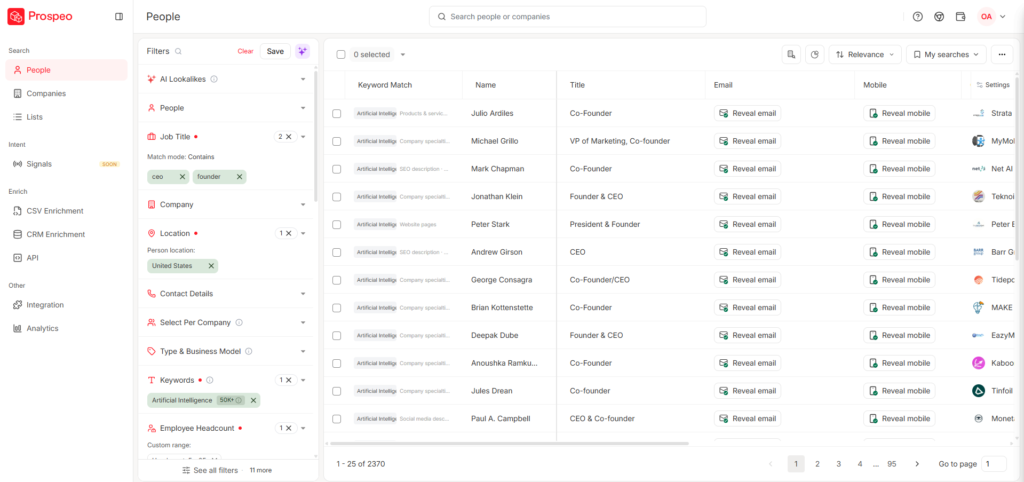
5. Prospeo (best lead database for cold email)
Prospeo is the default pick for building cold email lists. You search a B2B database by title, industry and company size, or you run its Chrome extension on LinkedIn Sales Navigator, and it returns verified work emails. It only charges credits for emails it actually finds on individual lookups, the accuracy holds up in real campaigns and it plugs into Clay, Smartlead and the rest of this stack natively.
The Sales Navigator route is the one to learn first. LinkedIn’s own filters do the targeting (title, headcount, geography, posted recently), and Prospeo turns the resulting list into a CSV with verified emails attached. That combination gives you tighter targeting than any standalone database, because you’re filtering on live LinkedIn data instead of records that were accurate whenever the vendor last refreshed them.
There’s a free plan to test with. Paid plans start at $49/month for 1,000 credits.
Where it falls short: Bulk imports consume credits for every row whether an email is found or not, so clean your source lists before you run them through. Mobile numbers cost 10 credits each, which drains a small plan fast if you’re phone-heavy.
6. Apollo (runner-up for lead sourcing)
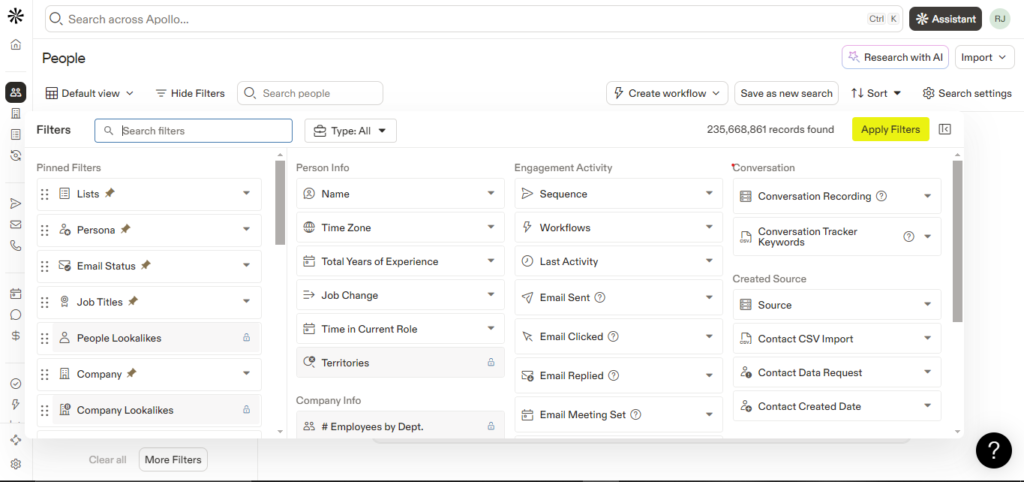
Apollo is the biggest name in B2B lead databases and the runner-up here. The database is huge, the filters go deep (funding, tech stack, job postings) and the free plan is generous enough to build real starter lists. If you want one tool that finds leads and sends sequences, Apollo does both.
Paid plans start at $49 per user per month on annual billing ($59 monthly).
Where it falls short: The credit system is where the real bill lives. Credits expire, overages cost $0.20 each and heavy prospecting pushes real spend well past the sticker price. I’d also skip Apollo’s built-in sequencer. Plenty of your competitors send from the same shared Apollo setup, and that’s not where you want your inbox placement living.
7. Boomerang (niche pick for special data)
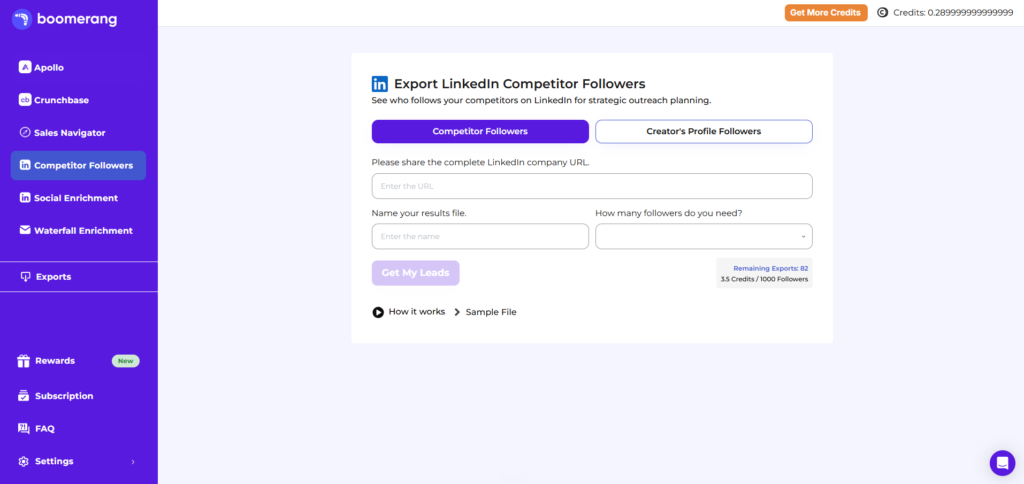
Boomerang is the specialist pick because it builds lists no database search can produce. It scrapes leads from 8+ sources where buying interest actually shows, like your competitors’ LinkedIn company followers, people engaging with LinkedIn posts, Sales Navigator searches and Crunchbase. You don’t need your own subscriptions to any of those sources, which saves both the monthly fees and the setup time. And since almost nobody sends to these lists, you’re emailing people your competition hasn’t found.
Someone who follows your competitor’s company page has already raised their hand about the problem you solve. That’s a warmer starting point than any job-title filter, and it’s targeting a plain database can’t copy.
Boomerang also runs waterfall enrichment, trying several email providers in order until one finds the address, at a cheaper rate than doing the same thing in Clay.
Pricing is credit-based, sized by how many leads you export.
Where it falls short: Boomerang is a scraper, not a database you browse. You need to know which company pages, posts or searches to point it at, and follower lists still need qualifying because following a competitor doesn’t make someone your buyer. Build your core list in Prospeo and use Boomerang for the lists nobody else is touching.
Best Lead Enrichment Tool
List building automation sits between your lead database and your sequencer. Tools in this category pull leads from multiple sources, enrich them with extra data points, score them against your target customer and push the finished list to your sending tool. One tool owns this category.
8. Clay (best for automated list building)
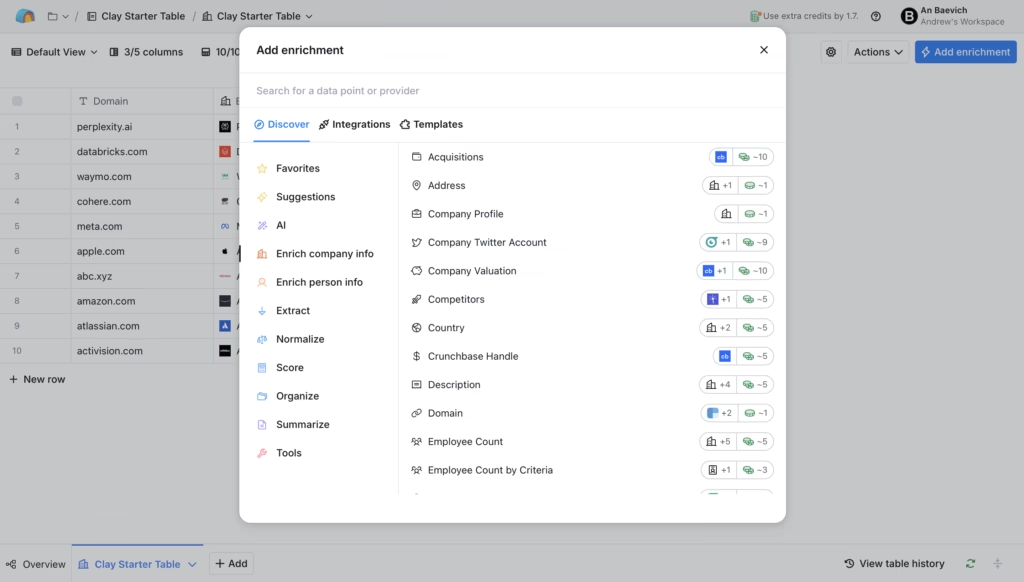
Clay is a spreadsheet that does the prospecting work for you. Each row is a lead, each column runs an enrichment: find the email, check the tech stack, pull the latest funding round, write a personalized first line with AI. It waterfalls across 100+ data providers, so when one source misses an email, the next one tries. For agencies building lists across many client profiles, it replaces hours of manual research per campaign.
A concrete picture of what that buys you. Say your ideal buyer is any agency that’s actively hiring salespeople, a signal no database filter offers. In Clay you pull the company list, run a column that checks live job postings, keep the rows that match and drop the rest. That kind of one-off targeting logic is exactly what Clay exists for and exactly what a plain database can’t do.
There’s a free plan. Paid plans start at $185/month for Launch. Clay restructured its pricing in March 2026, so ignore any post quoting the old $149 Starter plan.
Where it falls short: The honest answer is you probably don’t need Clay yet. Under roughly 1,000 leads a month, Prospeo plus a verifier covers you for a fraction of the cost. Clay also takes weeks to learn properly, and credits burn faster than every new user expects. Buy it when list building becomes your bottleneck, not before.
Best Email Verification Tools for Cold Email
Email verification checks every address on your list before you send, so bounces never reach your inboxes. This step is not optional. B2B contact data goes stale fast, and a bounce rate above 2-3% starts damaging the sender reputation you spent weeks warming up. Verification is the cheapest insurance in the whole stack. Two picks: one basic and dirt cheap, one advanced for the lists that basic verifiers can’t crack.
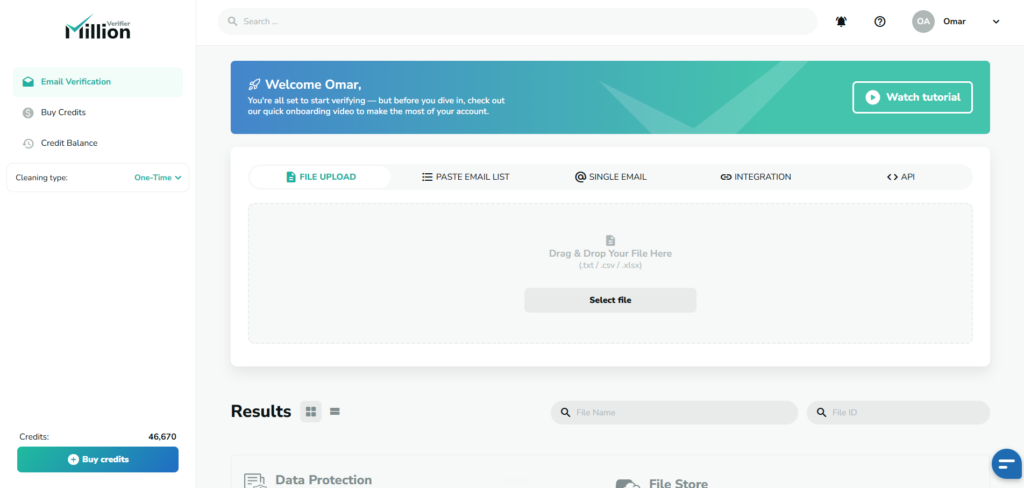
9. Million Verifier (best basic email verifier)
Million Verifier is the first stop for list cleaning and the cheapest reliable verifier on the market. You buy credits once, they never expire and you upload a CSV whenever you have a list to clean. Credit packs start at $39, credits only get spent on good and bad results (risky ones are free) and there’s a money-back guarantee if your bounce rate exceeds 4% after cleaning. For campaign-based senders who verify in bursts rather than on a schedule, pay-as-you-go credits beat every subscription verifier.
Where it falls short: Catch-all domains. These are mail servers set up to accept every incoming address, so a standard verifier can’t tell a real inbox from a dead one and marks the whole batch “risky.” Million Verifier is honest about that limit, but risky results are leads you either gamble on or throw away.
10. CSVgo (advanced verification for catch-all emails)
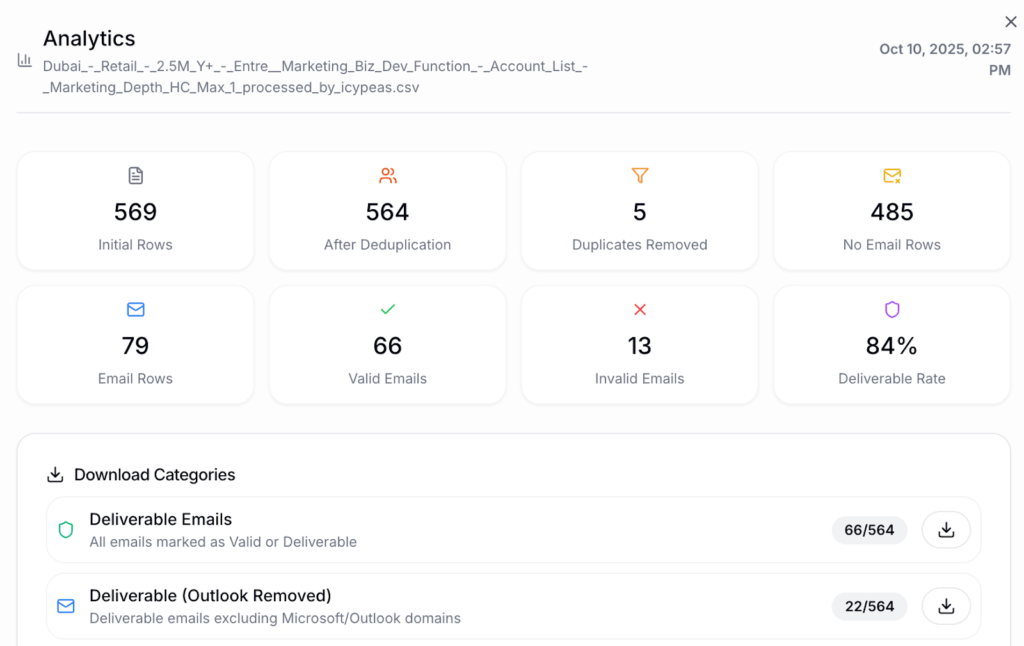
CSVgo picks up where basic verifiers stop. It cleans lead lists, verifies catch-all emails that other tools mark as risky, removes invalid addresses and identifies whether each address runs on Gmail, Outlook or SMTP so you can match sending inboxes to receiving providers.
On B2B lists heavy with company domains, recovering the catch-all segment means sending to a meaningful chunk of leads you’d otherwise trash. Processing is fast, where most verifiers take 30-45 minutes per list.
Where it falls short: If your lists are mostly Gmail and standard business inboxes with few catch-alls, Million Verifier alone covers you. CSVgo earns its place when risky results start eating a visible share of your lists.
Best CRM for Cold Email Replies
A cold email CRM catches the replies the rest of this stack generates and makes sure every one gets followed up. This is the layer every other roundup skips, and it’s where the actual money is. A campaign with a great open rate and no follow-up system produces the same revenue as no campaign at all.
I watched this pattern for 3 years at Fenixtal. Clients got the leads we booked, then lost them. Not because the leads were bad, but because positive replies sat in a sequencer inbox with no owner, no next step and no reminder. The sending stack worked perfectly and the deals still died. I cover four ways to fix that handoff in my post on connecting Instantly or Smartlead to a CRM.
11. Fluid CRM (best CRM for cold email pipelines)
Fluid CRM is the lead tracking layer of this stack. It’s not a sequencer and doesn’t pretend to be one. It gives small B2B teams, founders and agencies a clear visual pipeline to close more deals without the mess of spreadsheets or the bloat of traditional CRMs. Positive replies from Smartlead or Instantly land as deals automatically through the API, each deal carries a follow-up reminder and the dashboard shows you every overdue follow-up the moment you log in.
We built Fluid CRM because of the churn pattern above, after watching client after client win replies and lose deals. The rest of this stack gets you replies. This layer turns them into revenue. If you send cold email for clients, see how Fluid CRM works as a CRM for agencies.
Austin at Cold Emailers runs his agency pipeline this way, with Smartlead replies flowing into Fluid automatically. Speed was the part that stuck for him: “It’s fast as well. I like the hotkeys. I’ve actually been using them.” Press D for a new deal or R for a reminder and the pipeline updates without touching the mouse. When you’re working dozens of replies a week, those seconds compound.
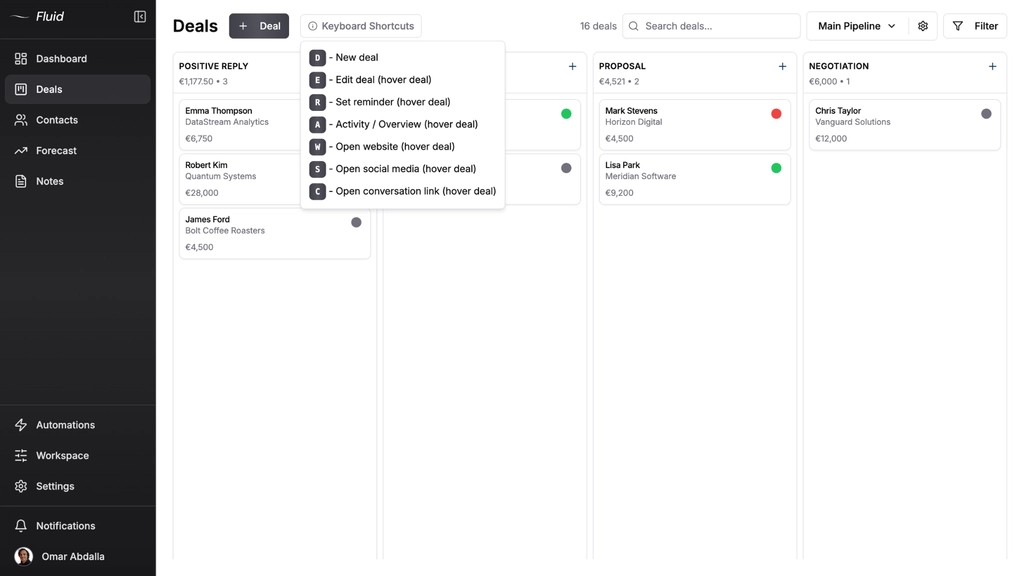
The reminder system is the piece built for this exact workflow. Every deal carries a next follow-up date, overdue ones turn red on the dashboard and nothing leaves your pipeline without you deciding it should. Cold email deals rarely close on the first reply. They close on touch three, four or five, weeks after the reply landed, and the seller who follows up on time is usually the only one who followed up at all.
Pricing is $16/seat/month or $144/seat/year, every feature included on both plans. No upgrade traps. 7-day free trial, no credit card required.
Where it falls short: If you need marketing automation, nurture flows or lead scoring, Fluid CRM isn’t your tool, and something like HubSpot earns its price for you. Fluid is built for pipelines where a human reads the reply and works the deal.
How the Full Cold Email Stack Works Together
The full cold email stack works as one pipeline, and the easiest way to see it is to follow a single lead from list to closed deal. No tool review shows this part, because every reviewer covers one layer and assumes the rest.
You build a list of 500 marketing agency founders in Prospeo, filtered by company size and title. The export goes through Million Verifier, which clears 420 addresses and flags 60 as risky catch-alls. Those 60 go through CSVgo, which recovers 35 as valid. You now have 455 verified leads instead of the 420 a basic-only setup would keep, and a bounce risk near zero.
The list loads into Smartlead, which sends 15 emails per day per inbox across 10 Premium Inboxes accounts running on Dynadot domains. Two weeks in, a founder replies “interested, what do your prices look like?”
This is the moment that decides whether the whole stack paid for itself. In a sequencer-only setup, that reply sits in a unified inbox between 30 out-of-office messages, and by the time anyone answers, the founder has booked a call with someone faster. Austin asks his own clients the question that exposes this: “Are you following up with them right away?” For most agencies the honest answer is no, and no follow-up after multiple touches means the lead quietly dies.
In this stack, the reply hits Smartlead’s API webhook and lands in Fluid CRM as a deal with the contact attached. You answer within the hour, set a reminder for Thursday, and when Thursday comes the dashboard tells you before you’ve had coffee. Three touches later the deal closes. Same lead, same email copy, same open rate. The only difference is a system that refuses to let the reply rot.
Build the layers in this order: domains first, then inboxes, then the sequencer, then lists and verification, then the CRM before your first reply arrives. Not after. The first reply you lose to a messy inbox costs more than the CRM does all year.
Starter Stack vs Agency Stack
The right cold email stack depends on your sending volume, and there are really only two builds worth planning around. A starter stack for a founder doing their own outbound, and an agency stack for anyone sending on behalf of clients.
The starter stack (founder-led outbound)
A founder sending 100-150 emails a day needs 2-3 domains from Dynadot, 6-10 inboxes from Premium Inboxes, Smartlead Base or Instantly Growth as the sequencer, a Prospeo plan for lists, pay-as-you-go Million Verifier credits and Fluid CRM with one seat. Skip Clay, skip Boomerang and skip every add-on your sequencer tries to sell you. This build gets a solo operator sending safely within a week, and every layer scales by adding units rather than replacing tools.
Viktor, a solo B2B outbound operator in Sweden, runs a version of this loop daily and wrote his whole process on a post-it: open the deal and review, take action, note the activity, set a new reminder. The stack exists to make that loop fast. Nothing more.
The agency stack (client campaigns)
An agency sending for multiple clients scales the same layers up. Separate domains and inbox batches per client so one client’s list quality can never burn another client’s sending, Smartlead Pro or higher for the API and client workspaces, Clay for building lists across different customer profiles, both verifiers with CSVgo handling the catch-all segment, and Fluid CRM as the tracking layer, either for your own agency pipeline or as part of the client offer. Austin at Cold Emailers is building that second route into his offer. In his words, “I want to create like a CRM offer that’s ultimately going to be a lot stickier.”
Frequently Asked Questions
At minimum you need five things: sending domains (Dynadot), inboxes with correct DNS setup (Premium Inboxes), a sequencer (Smartlead or Instantly), verified leads (Prospeo plus Million Verifier) and a place to track replies (Fluid CRM). Clay and the niche sourcing tools can wait until volume demands them.
A solo founder’s starter stack runs around $115-130 per month. Smartlead Base at $39, 5 inboxes at $17.50, 3 domains at about $2.70 per month spread over the year, a Prospeo plan at $49, a one-time Million Verifier credit pack from $39 that covers several sends and Fluid CRM at $16. An agency running client campaigns should budget several hundred per month and up, driven by inbox count and data volume.
You can, but you shouldn’t. All-in-one platforms bolt a lead database and a CRM onto a sequencer, and each bolted-on layer is weaker than the dedicated tool it imitates. Worse, when one company owns every layer, you can’t replace the part that breaks. Split the stack and each layer stays swappable.
Work backward from daily volume. Google and Microsoft throttle senders above roughly 10-20 cold emails per inbox per day, so divide your target daily sends by 15 to get your inbox count, then run 2-3 inboxes per domain. Sending 150 emails a day means about 10 inboxes across 3-4 domains. Never send cold email from your main company domain.
Yes, and it’s the most skipped layer in the stack. Replies without follow-up produce nothing, and sequencer inboxes are built for sending, not for working deals over weeks. A CRM built for cold email pipelines, like Fluid CRM, catches every positive reply as a deal and reminds you to follow up until it closes or dies honestly.
Conclusion
Cold email software is seven jobs, and the teams that win treat it that way. Own your domains, control your inboxes, verify everything and never let a sequencer double as your pipeline. Cold email gets you replies. Fluid CRM turns those replies into closed deals. Visual pipeline, reminders, API integration with Smartlead and Instantly.
Start your 7-day free trial, no credit card required.