

You own a managed service provider (MSP) and sell new contracts between escalations. Prospects sit in your inbox and a spreadsheet, and the opportunities screen in your PSA hasn’t been opened since spring. Most MSPs don’t need a second big platform, just a sales pipeline for prospects, with clients moving to the PSA once they sign.
For most small MSPs, the best CRM is a simple sales pipeline next to the PSA. Fluid CRM fits teams with 2 to 10 people selling, at $16 per seat per month. If one person sells, use your PSA’s opportunities. Inbound-led MSPs should look at HubSpot, and quote-heavy MSPs at Zomentum.
Where the PSA Stops and the CRM Starts
Your PSA (the professional services automation tool, like ConnectWise PSA, HaloPSA or Autotask) is built for clients you already have. Tickets, agreements, time and invoices all belong to a company that has signed. A prospect who took one discovery call is not that company yet.
That is why PSA opportunity screens get abandoned. A seller opens a tool full of service boards and SLA timers to log one phone call, and after a week the call goes in a notebook instead.
So draw the line at the signature. Everything before it lives in a CRM and everything after it lives in the PSA. The only thing that crosses is the new client record.
If your MSP has grown past one seller, this is the same job a sales team CRM does for any B2B team, with one extra step at the end.
There is one exception. If the owner is the only person selling and closes a few deals a month, the PSA’s own sales screens are enough. Buying a CRM for one seller with eight open deals is paying to move a list from one screen to another.
What an MSP Sales Pipeline Actually Needs
MSP deals have their own shape. A generic five-stage funnel misses the parts that decide whether you win.
Stages that match how MSPs sell
A pipeline that works for most MSPs looks like this: new lead, discovery call, network assessment, proposal sent, signed.
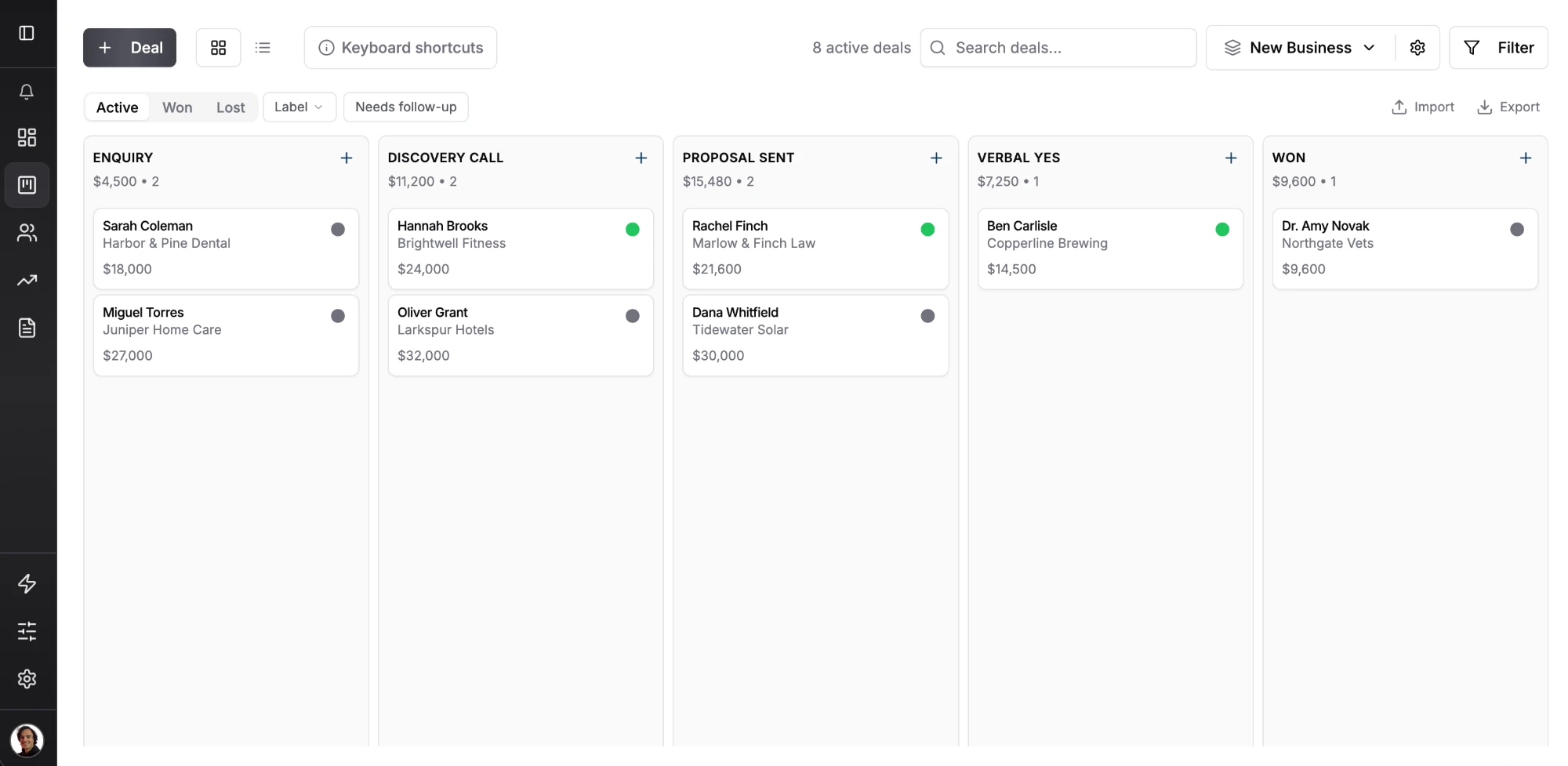
The assessment stage matters most. It is where you find the problems that justify your price, so the proposal answers problems the prospect has already seen. Stage names in Fluid CRM are yours to set, so the board below works with any of them.
The date their current contract ends
Most prospects already have an IT provider and a contract with it. The real deadline of an MSP deal is the day that contract can be cancelled, not the day you send a proposal.
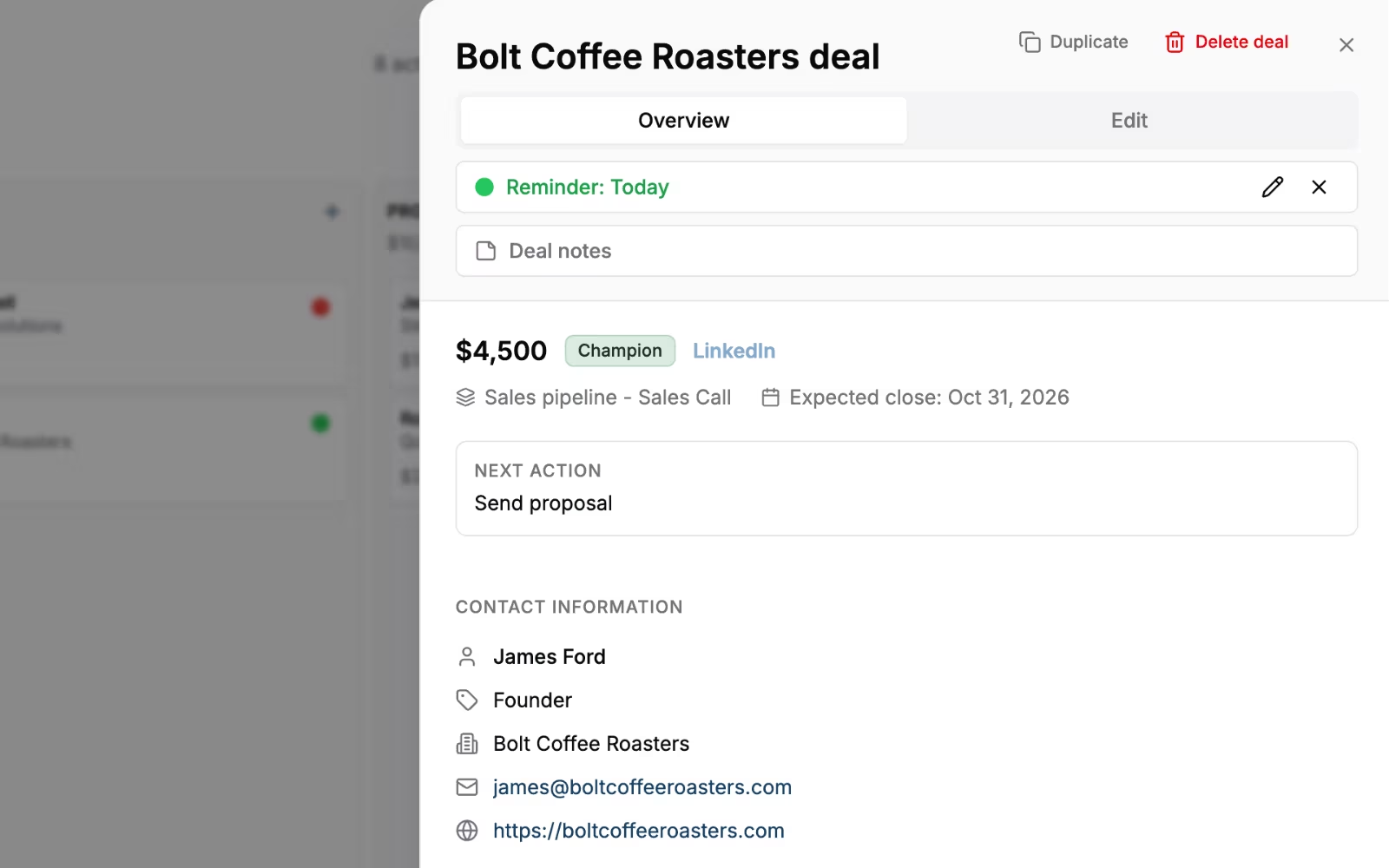
In Fluid CRM you add a date field called “Contract end” to the deal, then set the deal’s reminder for 90 days before it. When that reminder comes up, you call while they can still give notice.
Fluid allows one reminder per deal, so use it for the contract window once the deal is waiting on their notice date. A spreadsheet never reminds you, and a missed window can mean waiting until the next renewal.
Seats, endpoints and monthly value
Add number fields for users or endpoints and for monthly contract value. Pick one meaning for the deal value, monthly or yearly, and keep it for every deal, or your forecast will mix the two.
A form for the free assessment offer
Many MSPs get leads from a “free network assessment” form on their site. Fluid CRM lead capture forms create the contact and the deal in the right pipeline when someone submits. Nobody has to copy a request out of the inbox, so a prospect who asks for an assessment on Friday night is already on the board on Monday. Our guide to lead tracking software covers what to record on each request.
No ticket or SLA fields
Keep service out of the sales tool. A CRM that tries to hold tickets too ends up doing both jobs badly, and your techs will never open it anyway.
The 7 Best CRMs for MSPs Compared
MSPs choose from four kinds of tool: the CRM module inside the PSA, a sales-only CRM, a general CRM with marketing built in or an MSP-specific platform. The table puts each pick in its group and prices it for five users.
| Option (group) | Best for | Watch out | Cost for 5 users |
|---|---|---|---|
| Fluid CRM (sales-only CRM) | 2 to 10 people selling, pipeline next to the PSA | No native PSA sync, one contact per deal | $80/month, or $720/year billed annually |
| HaloPSA or ConnectWise PSA (PSA module) | One seller, owner-led sales | Sales screens live inside a service tool | Included in your PSA license (ConnectWise: PSA Pro package) |
| HubSpot (general CRM) | MSPs that win from inbound content | Pro plan needs a one-time $1,500 onboarding fee | $100/month on Starter, or $450/month on Pro billed annually plus $1,500 onboarding |
| Pipedrive (sales-only CRM) | Outbound reps who live in email | Full email sync starts on Growth | $195/month on Growth, billed annually |
| Zoho CRM (general CRM) | Zoho users and tight budgets | More setup before it fits | Free for up to 3 users, or $70/month on Standard billed annually |
| Zomentum (MSP-specific) | Quote-led sales with hardware and licenses | You pay for quoting even if you don’t quote much | $297/month on Expand, billed annually |
| GlassHive (MSP-specific) | Marketing content plus a CRM in one tool | Worth it only if someone does the marketing | $397/month, billed monthly |
1. Fluid CRM
Fluid CRM is a visual sales pipeline for small B2B teams. We built it for people who sell part of the day and need to see every open deal on one board, with a reminder on each one and a daily email of what is due.
For an MSP it covers the pre-signature job and nothing more. Unlimited pipelines let you keep new business apart from upsells to existing clients, and custom text, number and date fields hold the contract end date and seat count. A REST API, webhooks and an MCP connector for Claude and ChatGPT connect it to your other tools.
A G2 reviewer in information technology and services put the trade-off plainly: “It doesn’t try to do everything, and I think that’s one of its biggest strengths.” The same reviewer said it handles “registering, tracking and moving deals across stages without having to deal with slow, overloaded interfaces.”
- Best for: MSPs with 2 to 10 people selling who want new business out of the PSA
- Not for: one system for tickets and sales, quoting with distributor pricing, marketing automation, native PSA sync, several contacts per deal, two-way email sync (it logs email by BCC) or a native mobile app (it works in the phone browser)
- Cost for 5 seats: $80 a month, or $720 a year on annual billing ($144 per seat)
2. The CRM inside your PSA
HaloPSA includes sales, CRM, quoting and opportunities in its per-agent price, with no separate edition. ConnectWise PSA puts sales and quoting in its PSA Pro package, with opportunities, quotes and approvals.
The upside is zero double entry, because the prospect becomes the client in the same database. The downside is that the seller works inside a tool built for service staff, surrounded by boards and timers that have nothing to do with selling.
- Best for: owner-led selling with one person and a handful of open deals
- Not for: teams where two or more people sell every day and want a clean board of their own
- Cost for 5 users: included in the PSA license you already pay for
3. HubSpot
HubSpot is the pick when your new clients come from content, webinars and email newsletters rather than calls. Its marketing tools and sales pipeline share one contact record, so you can see which guide a prospect downloaded before the call.
Starter lists at $20 per seat per month, and there is a free plan for up to 2 users. Professional is $90 per seat per month on annual billing, plus a required one-time onboarding fee of $1,500.
- Best for: MSPs with a marketing person and steady inbound leads
- Cost for 5 users: $100 a month on Starter, or $450 a month on Professional billed annually plus the one-time $1,500 onboarding fee
4. Pipedrive
Pipedrive suits MSPs with a dedicated rep who prospects all day by email and phone. Lite is $14 per seat per month and Growth is $39, both billed annually.
The catch for this use is that full email sync with tracking starts on Growth. A rep who lives in email will want Growth from day one.
- Best for: outbound-heavy MSPs with one or two full-time reps
- Cost for 5 users: $195 a month on Growth, billed annually
5. Zoho CRM
Zoho CRM is free for up to 3 users, which makes it the cheapest way for a small MSP to try a separate CRM. Standard is $14 and Professional is $23 per user per month, billed annually, and CPQ (configure, price, quote) sits on Professional.
You can set it up for almost any process, but someone has to do that setup. Plan an afternoon for it before your sellers see it.
- Best for: MSPs already using Zoho apps, or teams of three who want to start free
- Cost for 5 users: $70 a month on Standard, billed annually
6. Zomentum
Zomentum is built for MSPs whose sale ends in a quote full of hardware, licenses and services. It has a proposal and quote builder, plus PSA and distributor integrations.
Expand is $199 a month billed annually for 3 users, with $49 for each extra user. Growth is $360 a month billed annually with 5 users included.
- Best for: MSPs that send detailed quotes on most deals
- Cost for 5 users: $297 a month on Expand with two extra users, billed annually
7. GlassHive
GlassHive combines a CRM with email marketing, an IT content library and landing pages. It connects to ConnectWise, Autotask and HaloPSA.
The Partner Account plan is $299 a month for 3 users plus $49 per extra user, with a 30-day free trial. It earns its price when someone on your team actually sends the campaigns.
- Best for: MSPs that want ready-made IT marketing content and a CRM in one place
- Cost for 5 users: $397 a month, billed monthly
How to Hand a Won Deal to Your PSA
Fluid CRM has no native integration with ConnectWise PSA, HaloPSA or Autotask. What it has is a Deal Won webhook and a REST API, and those are enough to build the handoff yourself.
Step 1: send the Deal Won webhook to a workflow tool
In Fluid CRM, point the Deal Won webhook at a scenario in Make or a workflow in n8n. Fluid has no native app in either, so you use their webhook trigger.
Step 2: create the company in the PSA
The workflow uses the deal ID to pull the company, the deal’s one contact and your custom fields from the Fluid CRM REST API, then creates the company and contact in the PSA through the PSA’s own API. Any extra contacts, like an office manager, get added in the PSA after.
Step 3: decide if you need it at all
If you close two deals a month, retyping a company into the PSA takes five minutes. Build the automation when you close enough deals that the retyping adds up.
Before you build on any API, check its docs. A verified customer who judges tools by their API wrote that the Fluid CRM “API for automations is well documented,” which is what your workflow builder needs on day one.
For the questions to ask before you rely on any CRM’s API, read CRM with API, and for the more technical setups see the CRMs for GTM engineers list.
When an MSP Should Skip a Separate CRM
Plenty of MSPs don’t need a separate CRM at all.
Skip it if one person sells and has fewer than about ten open deals. Your PSA’s opportunities screen or a shared spreadsheet will do, and one more login is one more place for a deal to get lost.
Skip the MSP marketing platforms if nobody on your team writes or sends campaigns. A content library you never send is a monthly bill, not a lead source.
At my old outbound agency, Fenixtal, we booked sales calls for small B2B teams. The leads that died were the ones sitting in spreadsheets or in CRMs the team avoided opening, so pick the tool your sellers will open every day, even if it does less. Our list of the best CRM for small sales teams prices the main options for 5 and 10 seats.
Can you name your three biggest open deals and when each prospect’s current contract ends, without opening a tab? If not, that is the job a CRM has to do for you.
Which CRM Should Your MSP Pick
If one person sells, stay in your PSA’s sales module.
If two to ten people sell and want a clean board next to the PSA, start with Fluid CRM, the sales team CRM we built for small B2B teams. Inbound-driven MSPs should look at HubSpot and quote-heavy ones at Zomentum. If you also sell your own software, read CRM for SaaS first.
Start your 7-day free trial here, no credit card required.
Frequently Asked Questions
No. A PSA manages service for clients you already have, with tickets, agreements, time and billing. A CRM manages prospects before they sign. Some PSAs include a CRM module, but the two jobs are different.
Yes, if one person does the selling and the number of open deals is small. HaloPSA and ConnectWise PSA both include sales and opportunity tracking. Once several people sell every day, a separate sales pipeline is usually easier to keep up to date.
Whether you call yourself an MSP or an IT services company, track each prospect’s stage, the date their current IT contract ends, the number of users or endpoints and the monthly contract value. Add the source of the lead and the next step with a date. Leave tickets and SLAs in the PSA.
No, there is no native integration. Fluid CRM has a Deal Won webhook and a REST API, so a tool like Make or n8n can create the new client in your PSA when a deal is won. Small MSPs often just retype the client by hand.